Participating Frequently
September 8, 2016
Question

how to use loops in JavaScript in Adobe Captivate 9

  • September 8, 2016
  • 1 reply
  • 234 views

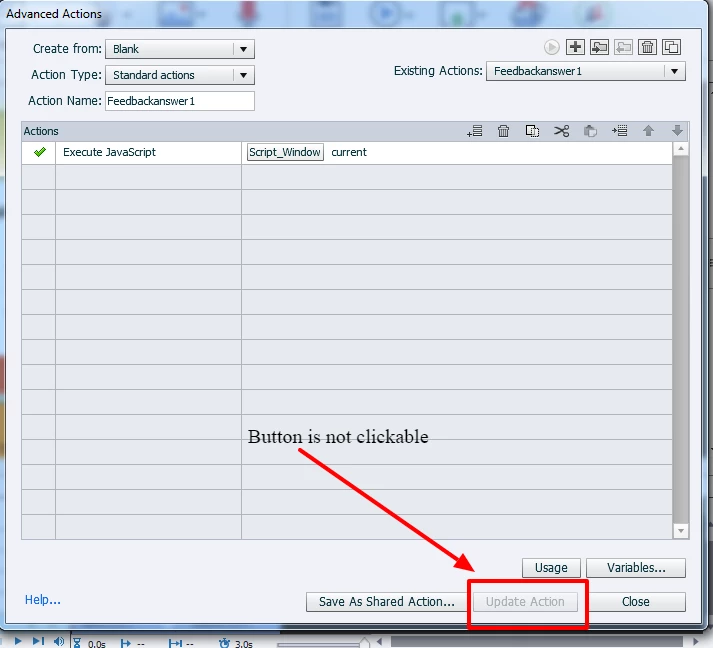
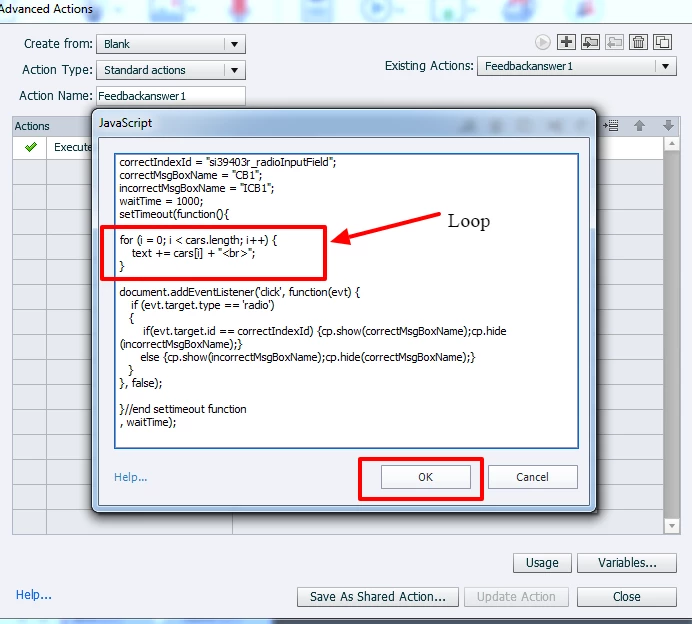
I am trying to use loops in my JavaScript code in Adobe captivate 9, but when I click Ok button (after writing the script, it does not allow me to click on"Update Action" button. When I re-open script editor, loop syntax is erased aromatically by the tool. 

How do I use loops in Adobe Captivate 9 ?

See the images below
    This topic has been closed for replies.

    1 reply

    RodWard
    Community Expert
    Community Expert
    September 8, 2016

    It's best only to use the JavaScript window in Captivate for very simple code. 

    For what you're trying to do you should really be externalizing the code into a file that gets called in by the main HTML page, or else add your code to the template used to produce the existing JS files that Captivate publishes.  With your cade already available this way at runtime, you can just the JavaScript window to call the functions as needed.