
Inspiring
February 12, 2018
Answered

HTML 5 in browser does not work. Flash in Browser does work.

  • February 12, 2018
  • 1 reply
  • 461 views

Hi there,

I normally would preview my projects with F11 for HTML5 in Browser.

For a week now the projects would not load... The F12 - Flash in Browser does work.

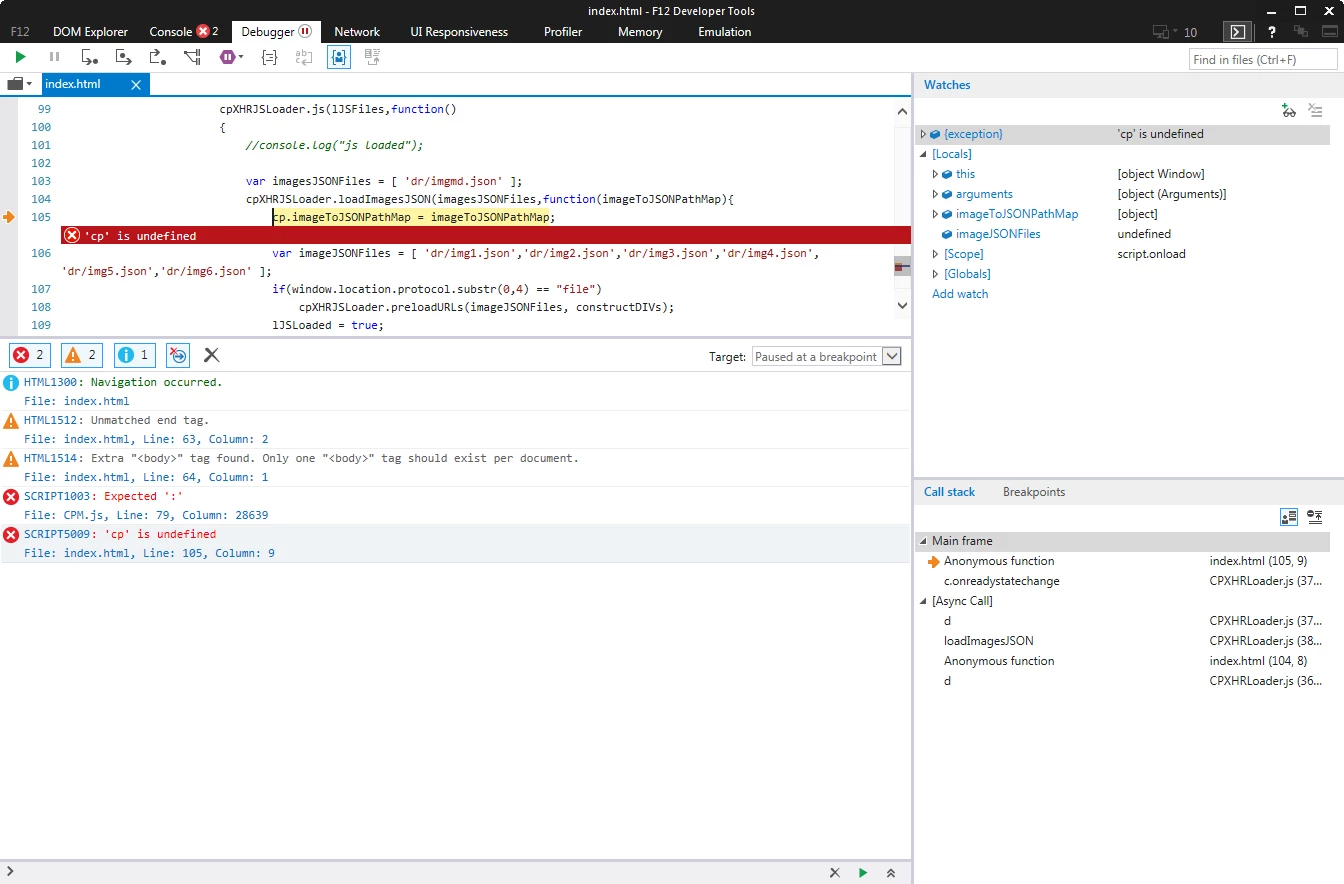
Here is what I see in the network tab on the developer tools. Any ideas please?

Thank you in advance

Bobby
This topic has been closed for replies.
Correct answer Bobby Jourdan

I found the issue.

The problem comes from the name of the Drag and Drop Interaction ...

The error is because I named the Interaction "Floor1-Challenge2"

When I changed it to "Floor1_Challenge2" it works ...

Hopefully this helps those of you who have this nasty issue ...

1 reply

Bobby JourdanAuthorCorrect answer
Inspiring
February 19, 2018

I found the issue.

The problem comes from the name of the Drag and Drop Interaction ...

The error is because I named the Interaction "Floor1-Challenge2"

When I changed it to "Floor1_Challenge2" it works ...

Hopefully this helps those of you who have this nasty issue ...

RodWard
Community Expert
Community Expert
February 20, 2018

Please log this as a bug with Adobe via the Bug reporting form on the Captivate Community page.

Adobe Captivate should really do some kind of validation checking when you enter the name of the interaction and prevent you from being able to use characters that would cause this issue.  It SHOULD NOT be necessary for the elearning developer to know special naming conventions or know to avoid these specific characters.  That's poor design.

Inspiring
February 20, 2018

Thanks Rod

I have done that now.