

R_H__
Inspiring
October 11, 2016
Answered

HTML5 Playbar padding

  • October 11, 2016
  • 1 reply
  • 358 views

Hi all,

Does anyone know how to remove the padding between the playbar buttons and the outside of the outermost buttons as shown in my screenshot? I've been playing about in the playbarStyle.css file and can't seem to get it to change. I'm on the latest version of Captivate, 9.0.2.437.
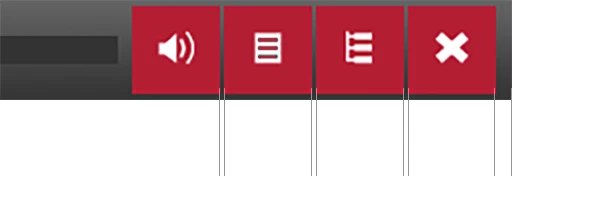
Cheers.

p.s anyone else having problems inserting images in posts? It keeps telling me my images are forbidden, jpgs - pngs that are way below the limits, this image is print screen pasted in.

    This topic has been closed for replies.
    Correct answer TLCMediaDesign

    Try:

    margin-left: 0px !important

    I would also check in the CPLibraryAll.css

    Specifically the .playbarSmallButton class.

    1 reply

    TLCMediaDesign
    TLCMediaDesignCorrect answer
    Inspiring
    October 11, 2016

    Try:

    margin-left: 0px !important

    I would also check in the CPLibraryAll.css

    Specifically the .playbarSmallButton class.

    R_H__
    R_H__Author
    Inspiring
    October 11, 2016

    Thanks TLC, I never knew about the !important part, that made it work. I guess that means there are other settings elsewhere overwriting it.

    So that removed the gaps between the buttons, and I also managed to align the buttons to the right side of the screen using float: right; but that has reversed the order of the buttons. Any ideas? I have a feeling this has to be done in an HTML file somewhere, but that might mess up all the playbars.

    TLCMediaDesign
    Inspiring
    October 11, 2016

    It just makes sure that any inline CSS does not overwrite the setting with !important.

    I have a feeling it's going to be almost impossible to reverse the order.