Inspiring
March 14, 2017
Answered

HTML5 problems with Adobe Presenter 11 [Moved from Lounge]

  • March 14, 2017
  • 2 replies
  • 986 views

Has anyone been successful with trying to upload a Presenter 11 course, published as HTML5 & SWF, to their LMS as a SCORM 1.2 package?  The course runs great on our adobe connect server, but when I try to import the course into our LMS (SumTotal/Maestro), I get an error that tells me I need to upload a genuine course file?  I've been at this now for about 2 weeks and I have three of these Presenter 11 courses to get into our LMS.

I am using AP v. 11, with PPT 2013, on a 64 bit Windows System 7

Thanks for any help!
This topic has been closed for replies.
Correct answer wolfeyes

You'll need to upload the PDF to something like dropbox or Google drive and then just past the link to it here. There isn't a way to attach the PDF.

Alternatively, you could convert the PDF to an image and then attach the image with the button that looks like a mountain with a sun over it.


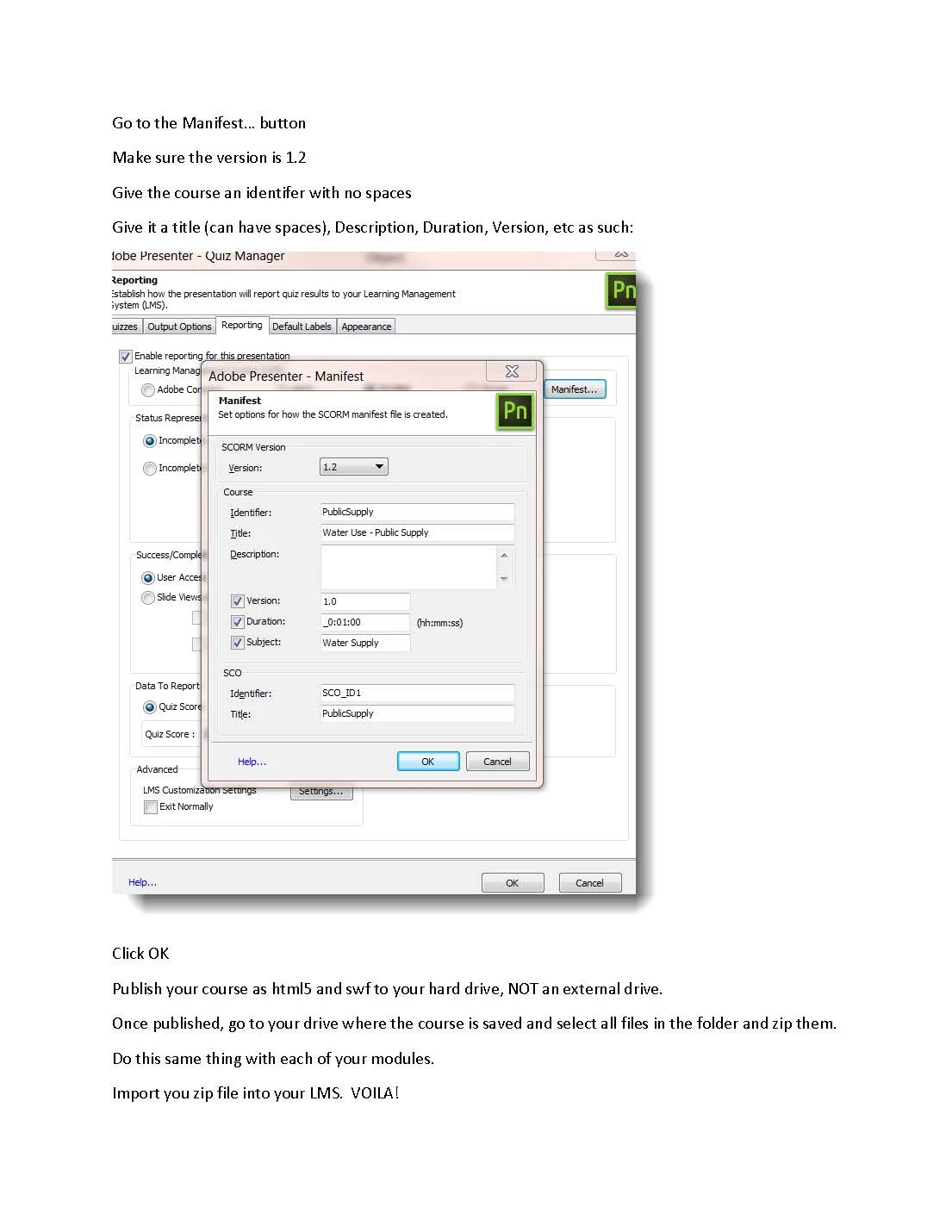
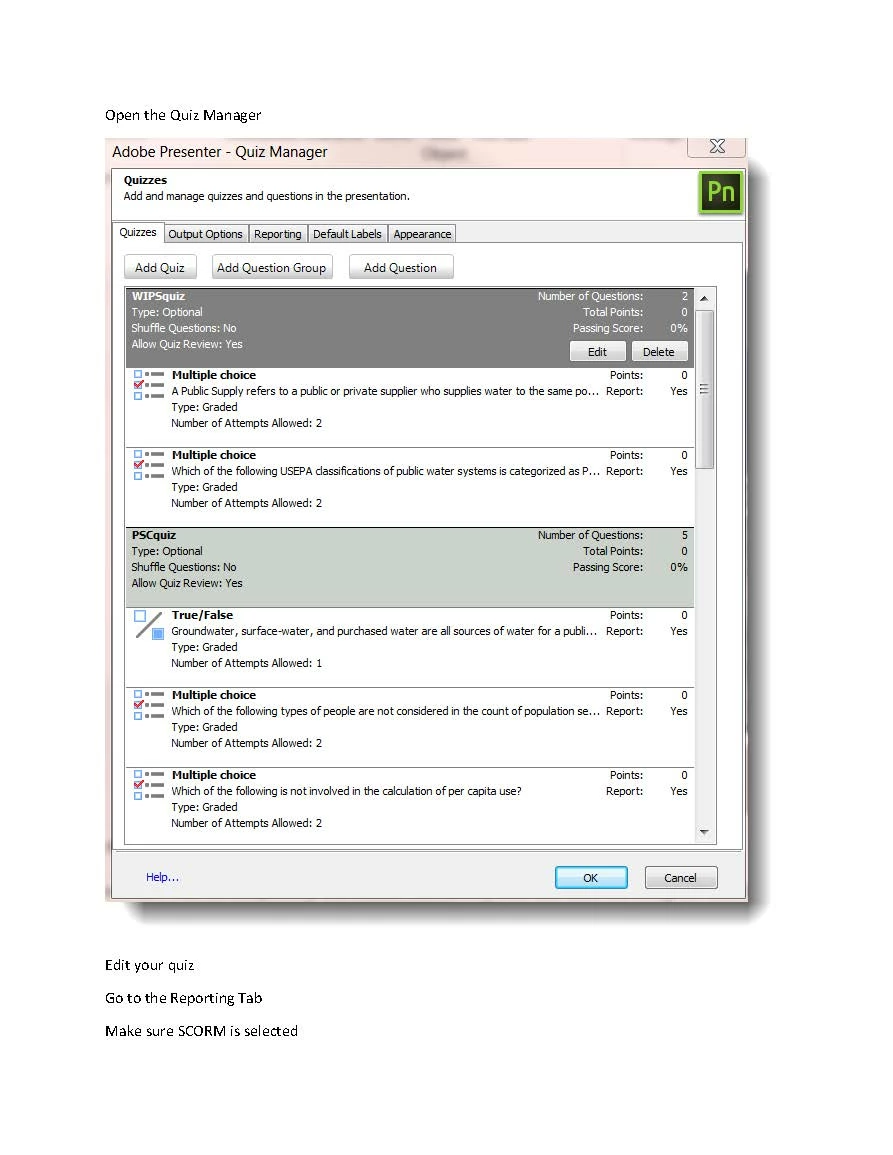
Sorry folks.  Here's my attachment as an image.  Thanks Jorma!  Sure hope this helps someone else!

2 replies

Jorma_at_Knox
Legend
March 21, 2017

Have you updated the reporting setup to match what your SumTotal LMS is expecting? I have seen the recomendation of uploading to SCORM Cloud to verify the setup and make it easier to address any configuration changes that are needed.

wolfeyesAuthor
Inspiring
March 28, 2017

Hi Jorma! My course doesn't work in scorm cloud either. It's having a

problem with the course launching in a new window. How do I change that to

not have the course open a new window upon launch?

Thanks so much!

On Tue, Mar 21, 2017 at 9:53 AM, flyingj481 <forums_noreply@adobe.com>

Jorma_at_Knox
Legend
March 28, 2017

Hm, not really sure. I'm no SCORM expert, so I may have to defer to the Support team for Presenter.

You can start here Contact Customer Care

If they can't get you going in the right direction, let us know.

Nancy OShea
Community Expert
Community Expert
March 14, 2017

I moved your post from the non-technical forum Lounge to the Presenter forum where the experts can help you.

Nancy O'Shea— Product User & Community Expert