
HTML5 Tracker error message definition
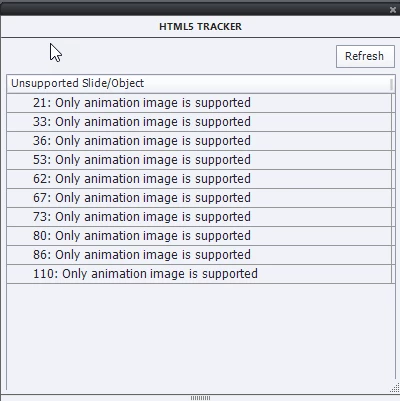
I am a new user of Captivate 2019. My current assignment is to remove all flash elements in our e-learning courses. I've been using the HTML5 Tracker consistently to identify those elements for removal. However, some of the messages that pop-up in the unsupported slide/object list is hard to figure out. For example, the message "Only animation image is supported"
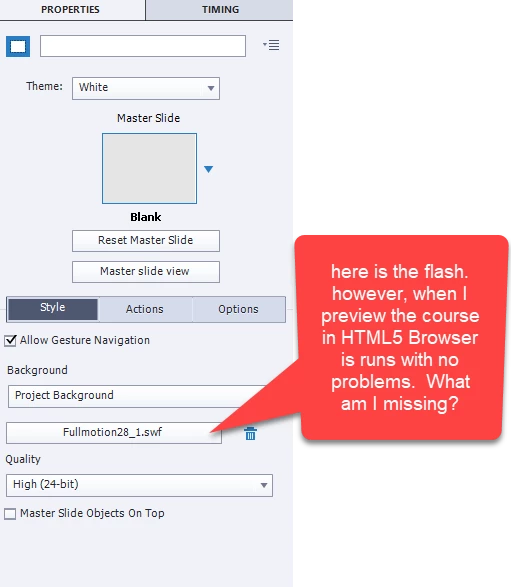
In the Style Inspector, I see the Allow Gesture Navigation checkbook selected. Under Background "Project background" is selected. "Fullmotion28_1.swf" visible under project background. Quality is set to "High (24-bit)". The Master Slide Objects On Top is unchecked.
the timeline shows the following elements
Bookmark
Overlay
Slide21
When I delete the "Fullmotion28_1.swf" what do I replace it with? Do I need to remove anything from the timeline? Any advice to assist with correcting this error message is greatly appreciated.



 AdChoices