
Known Participant
December 7, 2015
Answered

Hyperlinked Button Not Working in Drag and Drop Interaction

  • December 7, 2015
  • 4 replies
  • 430 views

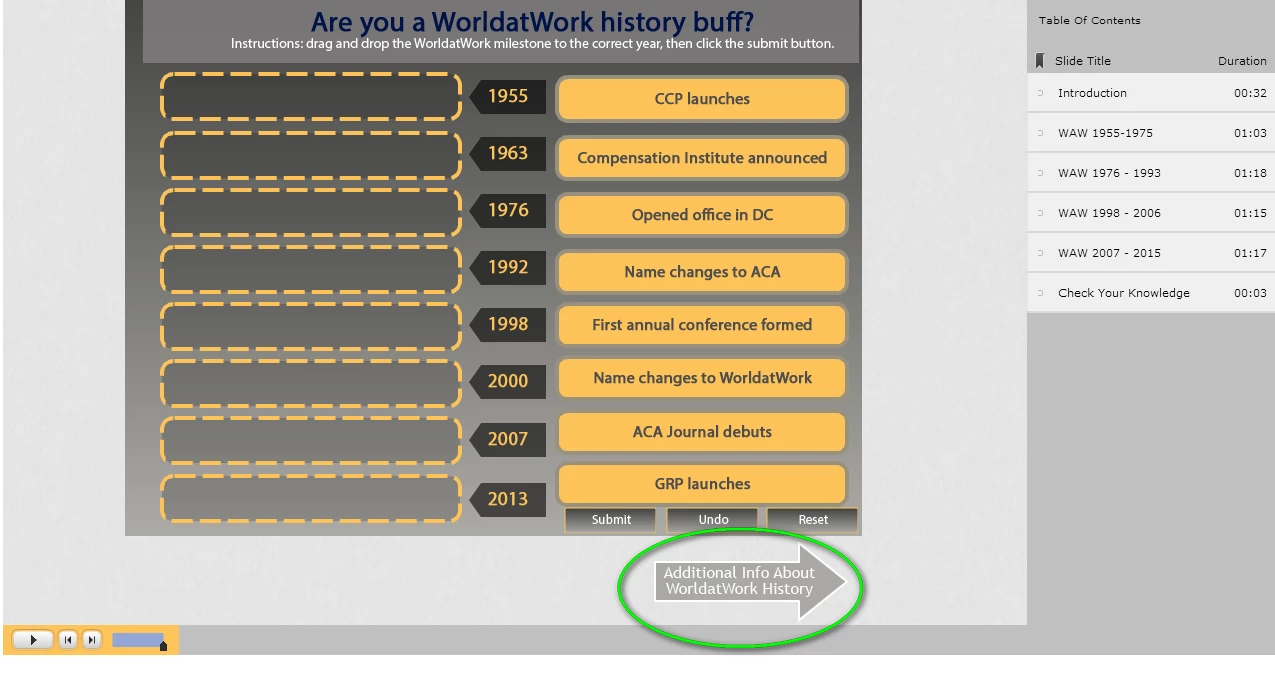
I have a drag and drop interaction on the last slide of a project that work fine but my button (arrow)

that goes to a website does not work (nothing happens when button is clicked).  The button actions
are set as follows: On Success: Open URL or file, Infinite Attempts check marked and URL is set
to New.

Thanks for any guidance.

Kelvin
This topic has been closed for replies.
Correct answer RodWard

Did you set your Network drive up also as a Trusted Location in your Flash Security settings?  If not, that will be the reason.  If this is the way you intend to deliver your e-learning (from a network drive) then everyone that consumes it will need to do this. Otherwise things won't work as expected.  A network LAN drive is NOT a web server.

4 replies

TeamTomesAuthor
Known Participant
December 8, 2015

I spoke to soon!  The web link works fine when I publish to my C: drive but the link doesn't work when I published to our shared network.  Any suggestions are greatly welcome?

RodWard
Community Expert
RodWardCommunity ExpertCorrect answer
Community Expert
December 8, 2015

Did you set your Network drive up also as a Trusted Location in your Flash Security settings?  If not, that will be the reason.  If this is the way you intend to deliver your e-learning (from a network drive) then everyone that consumes it will need to do this. Otherwise things won't work as expected.  A network LAN drive is NOT a web server.

TeamTomesAuthor
Known Participant
December 8, 2015

Rod,

Nice work!  That solved the issue.  The final file for learners will be on our Intranet (http) thankfully.

Kelvin

TeamTomesAuthor
Known Participant
December 8, 2015

The issue was resolved when I switched my default browser from Chrome to Firefox.  Thanks Rod and Lilybiri for your help.

Kelvin

Lilybiri
Legend
December 8, 2015

Thanks for posting this., I wonder if it is incompatibility with Captivate or maybe a setting in Chrome? Which version of Chrome are you using?

TeamTomesAuthor
Known Participant
December 8, 2015

Version 47.0.2526.73 m

Lilybiri
Legend
December 8, 2015

Can you post a screenshot of the timeline? What is the setup for the D&D: I see that you kept the Submit, Clear and Reset buttons, what is the action On Success?

TeamTomesAuthor
Known Participant
December 8, 2015

Lilybiri,

Below is timeline and D&D setup.

Lilybiri
Legend
December 8, 2015

Cannot see anything on that timeline, you zoomed out so much. It looks like all objects being timed for the rest of the project and one interactive object, probably your arrow shape. The D&D is pausing at the very end of the slide, do not do that, please! I cannot see if the shape button is pausing.

RodWard
Community Expert
Community Expert
December 8, 2015

Take a look at this article:

Setting up Flash Global Security for Captivate | Infosemantics Pty Ltd

Try testing your content from a web server.

TeamTomesAuthor
Known Participant
December 8, 2015

Thanks Rod.  I put a request into our IT help desk since they control Flash Global Security settings.  I appreciate the well written article!

Kelvin