
Inspiring
May 26, 2015
Answered

I have an Adobe Captivate file that I could not open

  • May 26, 2015
  • 2 replies
  • 997 views

I have an Adobe Captivate file that I could not open,  yesterday I saved it after we recorded a lot of voice over, and today I just can not open it.

The message says:

Ensure that:

The file is not open already.

-The file is not damaged, for example, if the file was an email attachment, ensure that you have decoded the file correctly.

-the hard disk has sufficient available space

-The system has sufficient resources. To optimiza the resources, close all the other open applications

I checked all of the above and still can not open it.  I would like to recover  all the the recordings from the library at least.


Thanks so much for your help!.
This topic has been closed for replies.
Correct answer anal90399099

You are right,  I am not the administrator,  IT department is.

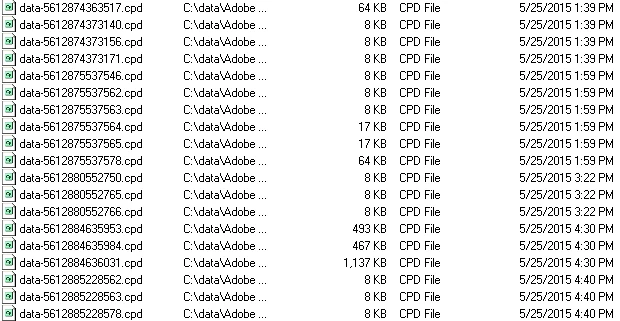
I found some files on the cached folder that I would like to know if I can retrieve. If so, how can I do this?  I tried to import file from AC but doesnt work.  Thanks for your help.

2 replies

Inspiring
May 27, 2015

yes, I am the administrator,  I looked in my cached projects in the c:\data, but It just shows dated 5/26, 5/15  5/11, it does not have a cached project dated 5/25, which was the date of my damage file.

I recovered a file from a back up one day before, so I just lost the work for one day,  I hope when we do again the recording that we lost  it does not happen again this issue.  Do yo  have any recommendations I should follow to ensure the file can work property for so on.

Lilybiri
Legend
May 27, 2015

Being the administrator is not the same as Run as Administrator which you

activate using the right-click menu on the launch icon of CP.

Would love to give you tips to avoid such a situation, but it is tough.

Clear cache regularly, and Clean preferences using the file in folder Utils

under the installation folder.

Inspiring
May 27, 2015

Thanks, I checked the properties of the icon, and it shows me as Administrator, (maybe the IT people are the administrators)??.  I know it is tough, I will clean my cached regularly,   thanks so much for your help.  I will continue reading your blogs, you have wonderful tips there. First time I have a problem with CP.

Lilybiri
Legend
May 26, 2015

Can you check if there is a lck-file (lock file)? And did you try ot open

the library with File, Import, External Library in a new file?

Inspiring
May 26, 2015

Thanks Lilybiri,  sorry where can I check for the lck-file (lock file)? I open a new project and  I tried to import external library, then I selected the file that I am not able to open, but it does not do anything?  I am doing wrong?

Thanks so much for your help, I reallly reallly apreciate it.

Lilybiri
Legend
May 26, 2015

The lck file should be in the same filder as the cptx fule.