

rht68685969
Inspiring
September 18, 2018
Answered

If user clicks a button, change state of Animation on another slide

  • September 18, 2018
  • 1 reply
  • 751 views

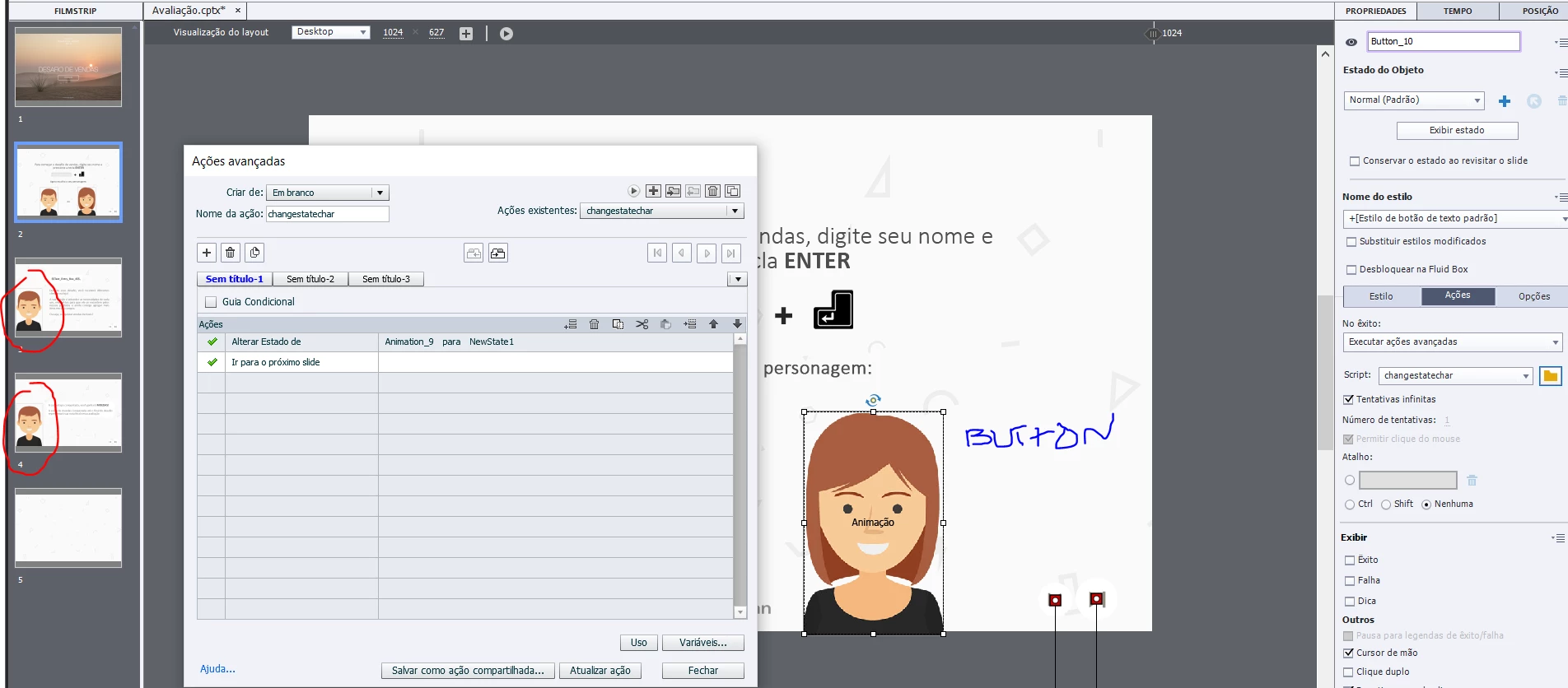
Hi. I'm developing a course where the user should be able to choose a character (male or female). Theses characters will only appear in 3 slides: at the beggining and at the end. I think this feature I want, should only work with Advanced Actions. I could make it work, but only at the same slide as a test.

Can anyone help me do that? I wanted to change the state of Animation 9 (Slides 3, 4 and 20) to "female character state" when the user clicks the button (Slide 2)
This topic has been closed for replies.
Correct answer Lilybiri

Let me check if I understood:

1 - I create an user variable called "v_choice"  (Value empty?)

2 - Create a shared action with these parameters you wrote.

3 - Choose this action to execute on enter the slide I want to.


Not totally.  You need a user variable to store the choice, but you didn't tell how you want to do that: using a radiobuttons interaction, using a dropdown interaction, using a Text Entry Box? Anyway you need to save the choice in that varialbe. It doesn't need a default value at all.

The action I wrote out was an advanced action to be triggered when clicking on the button, which would change at once the images on the three slides to the appropriate sate.

If you want the approach with On Enter action for each slide, and you have only one image (avatar) to change on each slide, the conditional action will be limited on each sdlie to:

IF v_choice is equal to female

     Change state of ImageOnThatSlide to female

ELSE

      Change state of ImageOnThatSlide to male

In rhat scenarion I would recommend a shared action, with the image and the states as parameters (3).

1 reply

Lilybiri
Legend
September 18, 2018

You can use the command 'Change to State' for an object on another slide, but only from a shared or advanced acrtion.  It is not possible with a simple action. Is that what you are asking about?

If you have a lot of states to change on other slides, I would recommend to use the On Enter ation of each slide to trigger a shared action.

rht68685969
Inspiring
September 18, 2018

But what would be the action for this:

If user press button 1 : change state of image on slides 1,2,3

?

Lilybiri
Legend
September 18, 2018

In the advanced action, based on the choice in the first slide, which is stored in a user variable v_choice:

  IF v_choice = female

          Change state of Image1 to female

          Change state of Image2 to female

          Change state of Image3 to female

ELSE

           Change state of Image1 to male

           Change state of Image2 to male

           Change state of Image3 to male

If you want to do more with that button, add a decision that is not conditional