April 22, 2009
Answered

Image displays Black

  • April 22, 2009
  • 2 replies
  • 1179 views

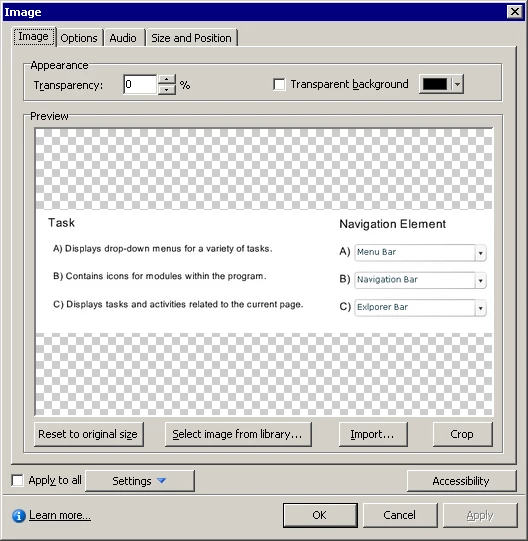
I have an image that displays black on the slide in my Captivate 4 project when it is published. I have attached both the slide and the image properties.

    This topic has been closed for replies.
    Correct answer RoboWizard

    Rick, now it doesn't show at all.


    Hi again

    Methinks it's time to save the image as a different format. Perhaps .GIF, .JPG or .BMP.

    Once in a blue moon I have an issue with PNG format. But by and large they simply work. Note that some applications use .PNG as their native format. Adobe Fireworks is one example. And in Fireworks you may use different layers like in Photochop. Sometimes the additional data isn't easily understood by other applications such as Captivate. I know Adobe RoboHelp HTML has similar issues with PNG format.

    Cheers... Rick

    2 replies

    Participating Frequently
    April 22, 2009

    I also had this problem and found that I had to use another format. The .png images seem to work better when used as backgrounds, but otherwise (and specifically for screenshots) I use .gif because the file size is much smaller and it still looks good.

    Inspiring
    April 23, 2009

    I there!

    We discussed this problem earlier too:

    http://forums.adobe.com/message/86092#86092

    But even the Adobe Support could not find a solution. The told me they do not have the problem with black backgrounds with the png's I sent to them...

    Regards

    Markus

    chopper523
    Known Participant
    April 22, 2009

    What kind of image is it? .png or .jpeg? Have you played with the Transparent background settings?

    April 22, 2009

    The image is a .png and I have played around with the transparency settings and I either get black or I get nothing - there is no in between.

    RoboWizard
    Inspiring
    April 22, 2009

    Hi there

    Try enabling the Transparent Background, then selecting a color that is obscure as being the transparent color. Perhaps hot pink.

    Cheers... Rick