Participating Frequently
January 10, 2014
Question

Images are not displayed in Cp7/SCORM/HTML5

  • January 10, 2014
  • 1 reply
  • 935 views

Hello, everyone.

I am a Japanese Captivate7 user.

Captivate7 is a good authering tool for us.

I am belonging to some projects and using this tool.

In project-A, we are making a SCORM1.2/HTML5 content incuding 150 pages, many images, many advanced actions, 10 quizzes but not including videos, sounds. In this content, some of images are not dislpayed on the specified slide (Quiz No.6 or 7), refer to Fig.1.
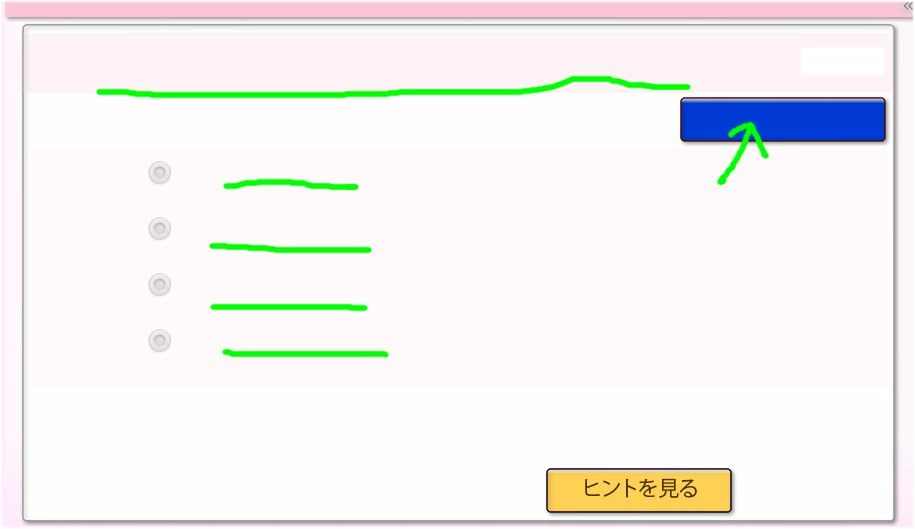
Note : no images in green line

In this time, HTML data between server and client is funny, PNG images are recognized as txt/html in server side. Normally, I think an image is recognized as image/html in server side.

Refer to Fig.2
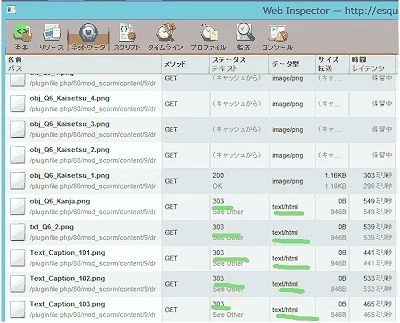
This is issued in only Safari (IOS7,6 and Safari5.1.7).

Please help me ASAP.

This topic has been closed for replies.

1 reply

VikramGaur
Adobe Employee
Adobe Employee
January 13, 2014

Hello,

Welcome to Adobe Forums.

Are you working on Windows or MAC ?

Make sure you have CP 7.0.1 update installed.

Does this issue (Images not appering) occurs when you open the CP 7 published output ? (On your computer, not on SCORM 1.2) ?

As you mentioned iOS7, are you viewing your content on iPAD or on MAC computers ?

Thanks,

Vikram

Adobe Support

t_hadaAuthor
Participating Frequently
January 15, 2014

Dear Vikram,

Thank you for your reply.

>Are you working on Windows or MAC ?

Windows8

>Make sure you have CP 7.0.1 update installed.

CP 7.0.1.237

>Does this issue (Images not appering) occurs when you open the CP 7 published output ? (On your computer, not on SCORM 1.2) ?

Yes.

C:\Program Files\adobe\Adobe Captivate 7 x64\utils\opt\win\pgnquant.exe

  ”ファイル名または拡張子が長すぎます。” --> Translated by me  : "File name or Extension is too long."

>As you mentioned iOS7, are you viewing your content on iPAD or on MAC computers ?

IOS7

Other information:

Our sever is based on CentOS : 2.6.32-431.1.2.0.1.el6.x86_64

Moodle 2.6+ is also installed.

Best Regards,

VikramGaur
Adobe Employee
Adobe Employee
January 17, 2014

Any possibility to upload your published CP7 output (LMS content) on a different LMS ?

https://cloud.scorm.com

Thanks,

Vikram