Answered
Images in Timeline Interaction (Captivate 9)?
Hello All,
Can images or other media content (other than text) be added to an event on the timeline interaction? If so, how?
I am working on Captivate 9 for Mac.
Thank You!
Hello All,
Can images or other media content (other than text) be added to an event on the timeline interaction? If so, how?
I am working on Captivate 9 for Mac.
Thank You!
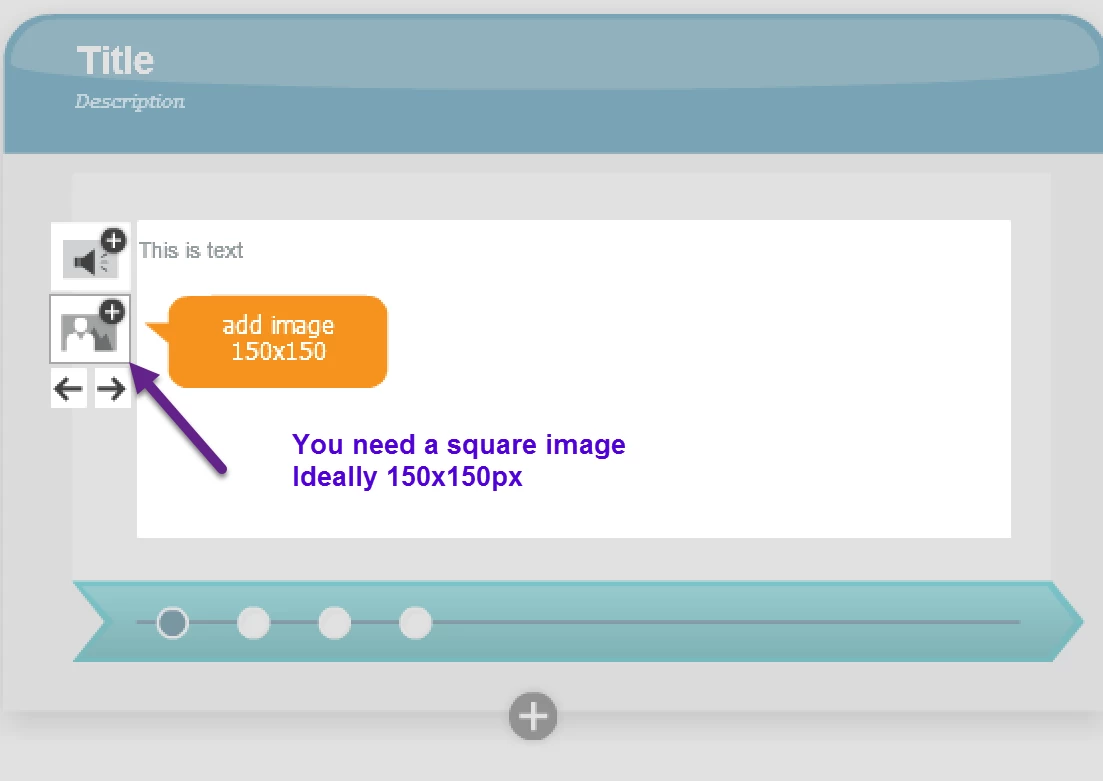
Watch the tooltip: ideally size of image should be 150x150 but any square format will do. If not square, image will be distorted.
You could have found this information in the table you can download in this blog post:
Already have an account? Login
Enter your E-mail address. We'll send you an e-mail with instructions to reset your password.
 AdChoices