February 18, 2013
Question

Import pptx in Captivate V6 doesn't work

  • February 18, 2013
  • 2 replies
  • 597 views

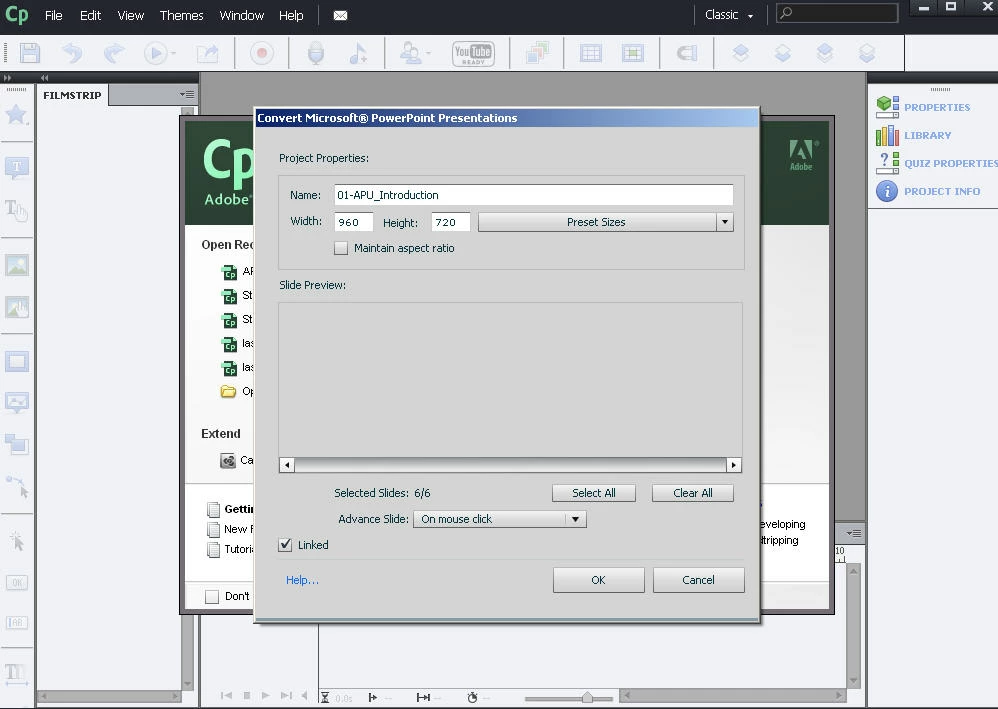
I have Captivate V6.1.0.240. I want to create a captivate from a pptx document (version 2010). My problem occurs when I followed all the steps .. Click file, select New Project From MS PowerPoint, Select my file (. Pptx) then Captivate convert / parse = results nothing works, captivate do not respond anymore.. Also, I do not see the option High Fidelity
    This topic has been closed for replies.

    2 replies

    carriev6
    Participant
    April 21, 2015

    I am also having this exact same issue with Captivate 7 when importing any pptx file.  The High Fidelity option is no longer visible to me.  Were you able to find a resolution to this issue?

    Anjaneai_Srivastava
    Adobe Employee
    Adobe Employee
    February 18, 2013

    Can you cross check if the powerpoint is saved as PTX not PPT as the High Fidelity would be available with PPTX only.

    Did you check with a sample PPTX as well, or it happens to specifics ones?

    February 19, 2013

    It is a PPTX! To create the captivate, I had to create pptx with a max of 5 slides. But the High fidelity option has never appeared.

    What could cause this?

    I have tried everything !!!!!