
Known Participant
May 25, 2016
Answered

Imported ppt. Graphics location changed

  • May 25, 2016
  • 1 reply
  • 236 views

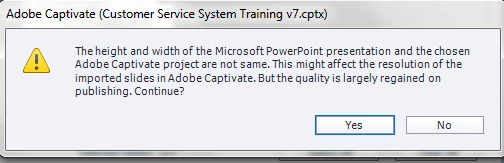
I imported a powerpoint slide with a size of  16:9 to a simulation project that has a resolution of 1024x768.

According to captivate, the quality of the slides will regained when published.
I published the project both as swf and html 5.  I launched the project using the extension index.html fro the published folder. The results  is that the objects in the ppt moved. Like the picture below.

But if i launch the project using the extension .htm, the powerpoint slides looks fine. Everything is in place

    This topic has been closed for replies.
    Correct answer Lilybiri

    The index.html launches the HTML version. There are some differences with the SWF output (launched by the .htm file). It was not a good idea from the start to use another resolution for the cptx project (4:3) than the one for the PPT (16:9). Was there any reason to do so?

    1 reply

    Lilybiri
    LilybiriCorrect answer
    Legend
    May 25, 2016

    The index.html launches the HTML version. There are some differences with the SWF output (launched by the .htm file). It was not a good idea from the start to use another resolution for the cptx project (4:3) than the one for the PPT (16:9). Was there any reason to do so?