
Participant
November 9, 2018
Answered

Importing Content Package Error

  • November 9, 2018
  • 1 reply
  • 1422 views

Good morning,

I'm trying to upload and/or update a SCORM 1.2 project from Captivate 2017. I've uploaded the project successfully before, but now that I'm attempting to update it I get an error returned with

"Invalid Package

The specified file is not a valid SCORM, AICC, IMS or Tincan content package.

The file "tincan.xml" in the content package could not be parsed or every ancestor directory does not contains a single sub-directory. Please check that the file is well formed and valid or every ancestor direcotry contains only a single sub-directory."

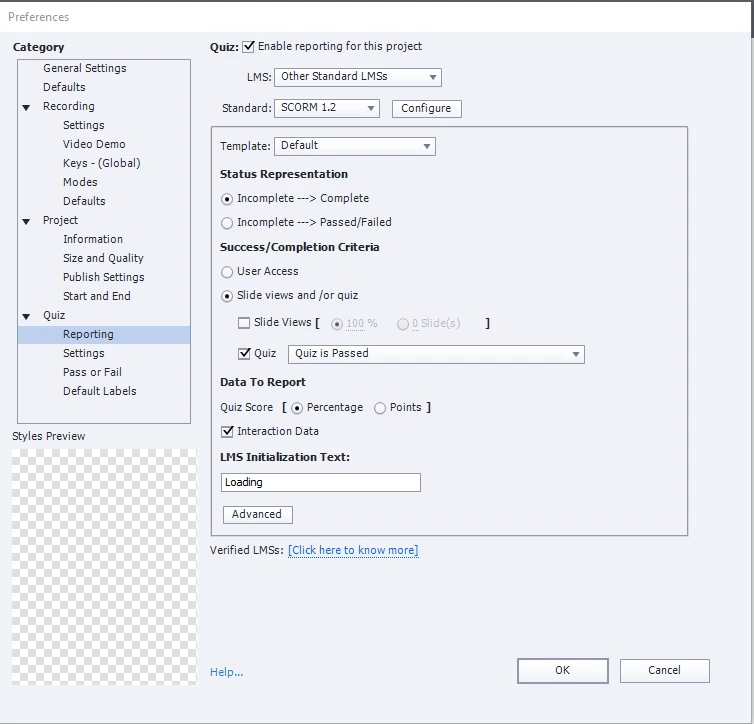
This very well could be user error, but I have not changed the reporting settings for the project in between updates. I can't think of anything that would keep this from uploading correctly. I've even tried to upload the latest update as a new project itself and get the same error returned.

I've attached an screen cap of the reporting settings just in case that helps diagnose.

Thank you in advance for your help!
This topic has been closed for replies.
Correct answer Lilybiri

You are publishing at the same time to SWF and HTML. I would strongly advice not to do that anymore (had lots of problems with that pubolishing type). Publish only to HTML, please. (or only to SWF if that is required by the LMS). Since you do Report, CP will automaticallyc reate a zipped package, which has all the files needed for SCORM as well. Launch will be done automatically from the index.html file. If you insist on publishing to both SWF and HTML, laucnching should be done from the mutliscreen.html file, not sure his is automatically the case within your LMS.

1 reply

RodWard
Community Expert
Community Expert
November 9, 2018

You need to show your Publish dialog settings.  This type of error often relates to the way the final package is published as a zip archive.

You should let Captivate zip it.  Are you doing that or zipping the output folder yourself?

michaelpcAuthor
Participant
November 12, 2018

Captivate is zipping the file for me.

Lilybiri
LilybiriCorrect answer
Legend
November 12, 2018

You are publishing at the same time to SWF and HTML. I would strongly advice not to do that anymore (had lots of problems with that pubolishing type). Publish only to HTML, please. (or only to SWF if that is required by the LMS). Since you do Report, CP will automaticallyc reate a zipped package, which has all the files needed for SCORM as well. Launch will be done automatically from the index.html file. If you insist on publishing to both SWF and HTML, laucnching should be done from the mutliscreen.html file, not sure his is automatically the case within your LMS.