
Participant
August 3, 2018
Question

Inconsistent Display of Course

  • August 3, 2018
  • 2 replies
  • 126 views

The layout of a couple of slides in this course is inconsistent. Two views of one slide are shown below. Please help me understand what is causing this issue and how to resolve it...This is a non-responsive course built in Captivate 2017.

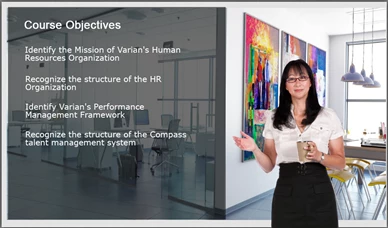
The image below shows the slide layout as designed in Captivate; it looks the same when previewed in Captivate, and this is what I expected to see in the LMS.
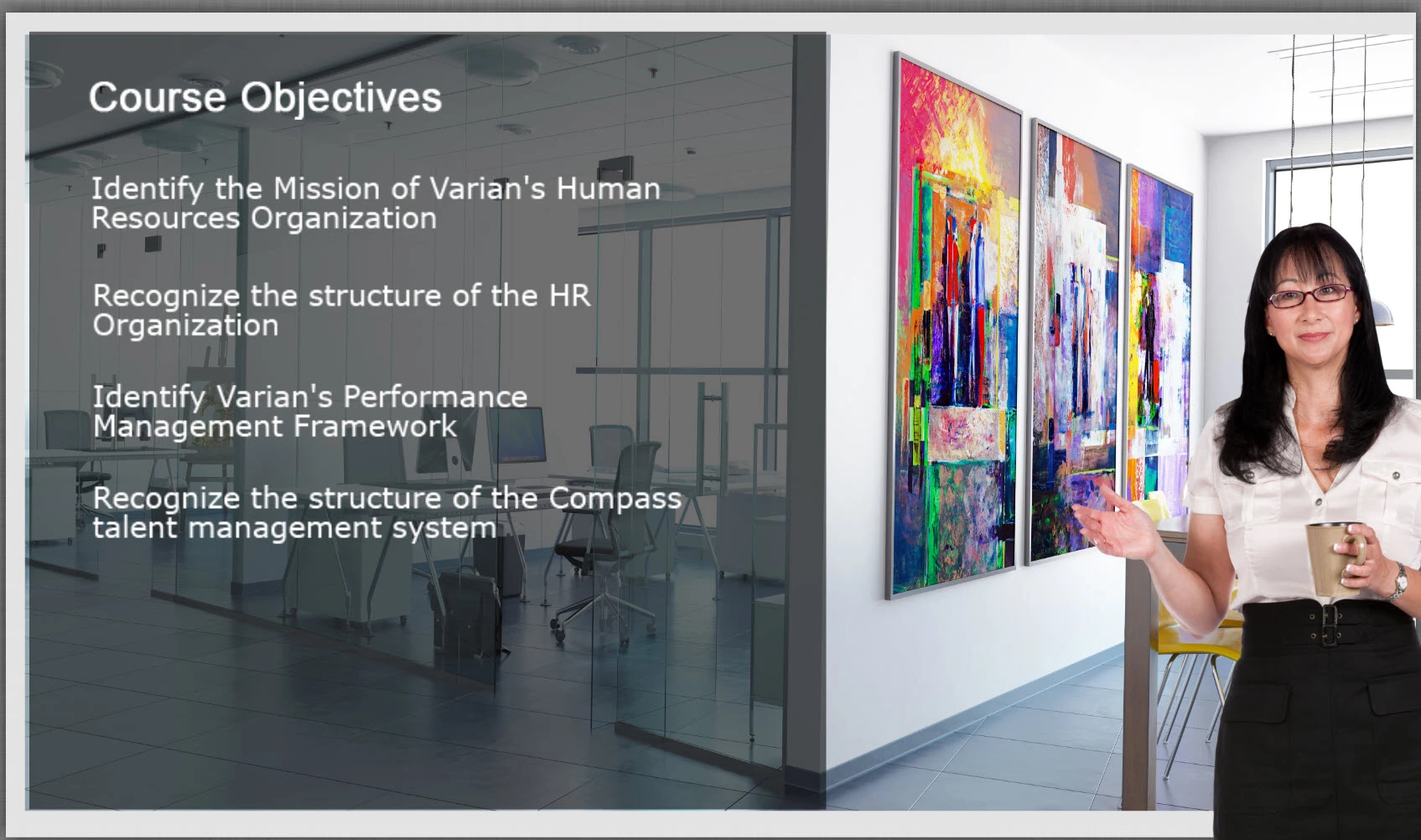
However, the image below shows how this slide displays in the LMS (SuccessFactors LMS) Note that the woman appears partly off-screen on the right edge.
This topic has been closed for replies.

2 replies

RodWard
Community Expert
Community Expert
August 4, 2018

This may be an issue with the course player being used in your LMS.

I would suggest that you try uploading this course SCORM zip to SCORM Cloud and take a look at it in that LMS to see if the same issue presents.  If it doesn't, the issue is with your LMS, not the content.

Lilybiri
Legend
August 3, 2018

Are you using the most recent version, 10.0.1.285?

Do you want to publish to HTML? In that case the only preview close to the final output is F11, Previe HTML in Browser. Did you use that preview method?

Sure you didn't paply an effect to the xoman ? Can you post a screenshot of the Timeline, please?