Phoenix_Leo
Known Participant
June 26, 2023
Question

Is it possible to show & hide the closed captioning, when it is turned off using a different button.

  • June 26, 2023
  • 1 reply
  • 1512 views

Hello

Good Morning/Good Evening.

Please forgive me if my explanation is not clear as I am not a native English speaker. But I have made full efforts to write it down in a clear way so that it is easily understandable. I tried to solve this issue myself but I am was not able to solve it.


Explanation Below:

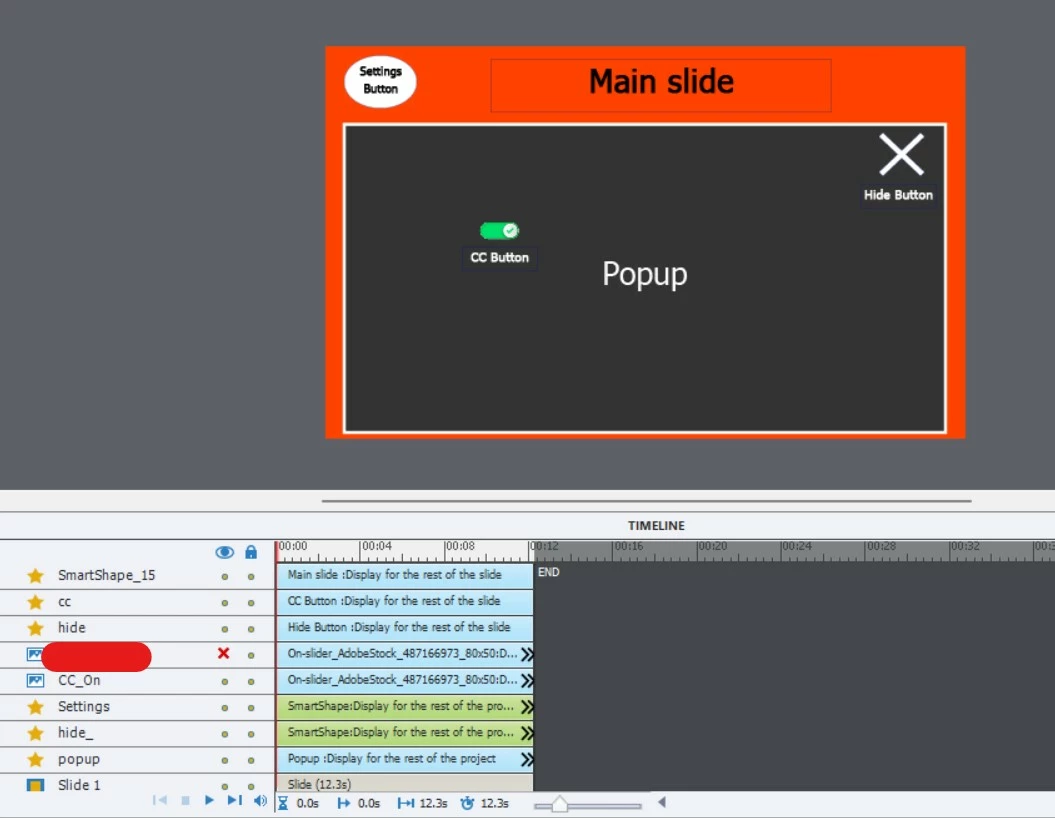
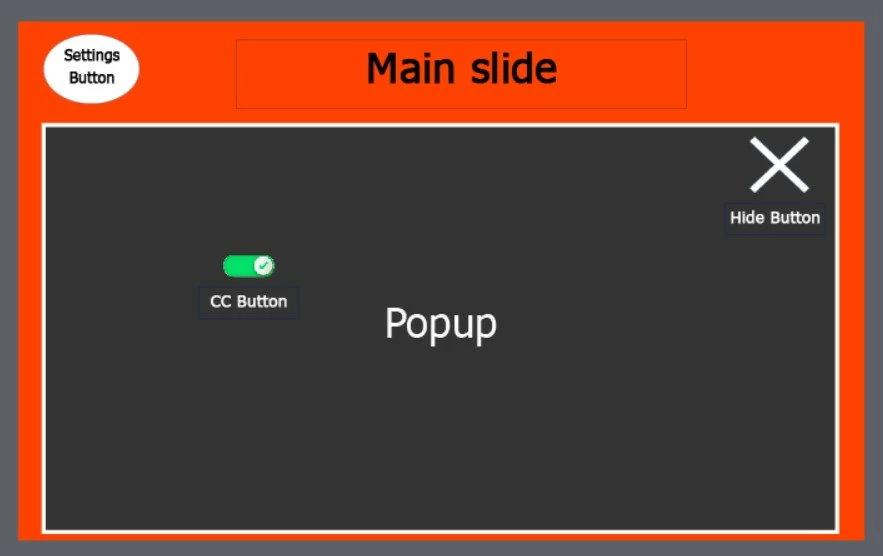
In my captivate project of 5 slides, on the Main slide, there is a settings button that is used to open a popup with a CC button & Hide button inside the popup.


The Settings button, Popup with the CC button, and Close button will be present throughout the course.


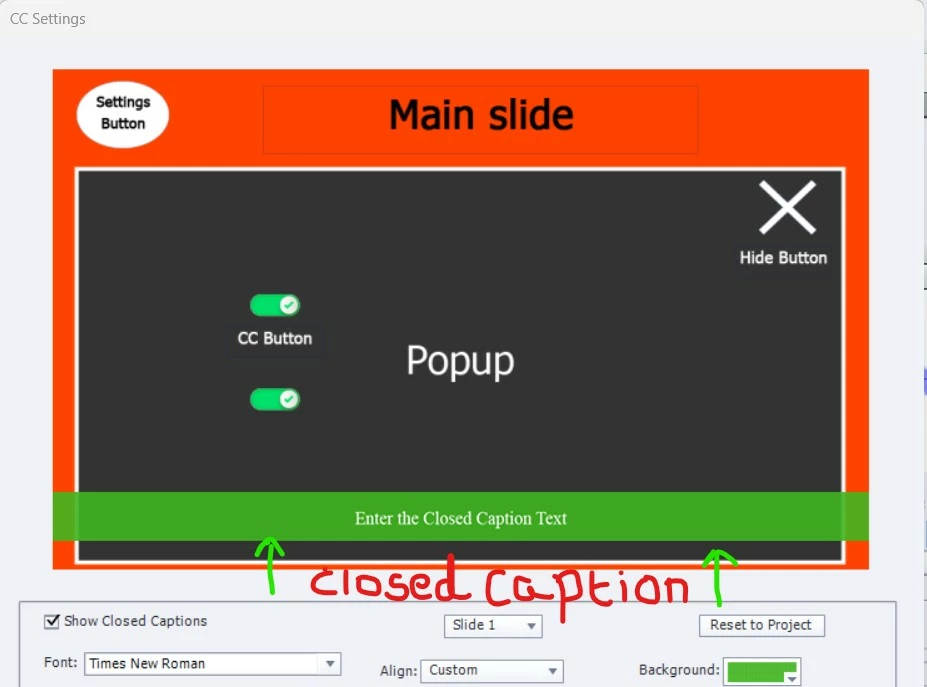
When the Settings button on the main slide is clicked, it should open the Popup in which the CC button & Close button are present, but by clicking the Settings button it will hide the Closed Captioning which is at the bottom of the slide in "GREEN COLOR".


The CC button is used to show & hide the Closed Captioning which is at the bottom of the slide in "GREEN COLOR".


When the CC button is turned ON it should turn ON the Closed Captioning, with the Closed Captioning ON if the Hide button is clicked it will hide the popup with the CC button & close button inside the popup, but the Closed Captioning should still be ON throughout the course.


When the CC button is turned OFF it should turn OFF the Closed Captioning, with the Closed Captioning OFF if the Hide button is clicked it will hide the popup with the CC button & close button inside the popup, but the Closed Captioning should still be OFF throughout the course.


How to write advanced action for this type of scenario?


Thank You!
   

    This topic has been closed for replies.

    1 reply

    Lilybiri
    Legend
    June 26, 2023

    Can you show the Advanced Interaction panel with everything expanded for this slide? Make sure to be able to read the names of the interactions column.

    Which actions are you using at this moment, I have problems understanding the issue. How do you realize the popup? Which language do you speak? Maybe it is better to post in your mother tongue and let us translate. personally I am also fluent in Dutch and French, rather good  in German, bit less in Spanish and Italian.

    Phoenix_Leo
    Known Participant
    June 26, 2023

    Mam basically the expectation is to hide the default closed captioning when the settings button is clicked. 


    When cc button is turned ON the closed captioning will be ON and it will be on through out the course even when the hide button is clicked.


    When cc button is turned OFF the closed captioning will be OFF and it will be on through out the course even when the hide button is clicked.


    Below is the screenshot and video with an explanation. I hope this will help.


    Lilybiri
    Legend
    June 26, 2023

    Please I asked to make the column with the actions visible, it is the Success column. I see that you have 4 advanced or shared actions, but not what they are doing exactly. You seem to use 'CC' as label and use 'Hide' as name as wellfor a button? Please don't use that type of labels, you may bump on reservered key words. I wonder if you are not using the same name for the advanced actions, reason why I wanted to see them in the Success column.

    I would for sure group the 4 buttons because you show and hide them at the same time and if I'm correct from the Timeline they are timed for the rest of the project. 

    I see that the button CC has an added custom state, can I see the Object state panel for that button?

    On the Timeline I don't see any button which is pausing the slide. What do you expect to happen when the last frame of the slide is reached?