

Is there a way to show the time(Current playing time / Total time) to connect to the seekbar on each slide?
Hello. I am looking into Captivate to create e-Learning content that includes interaction. Please help me.
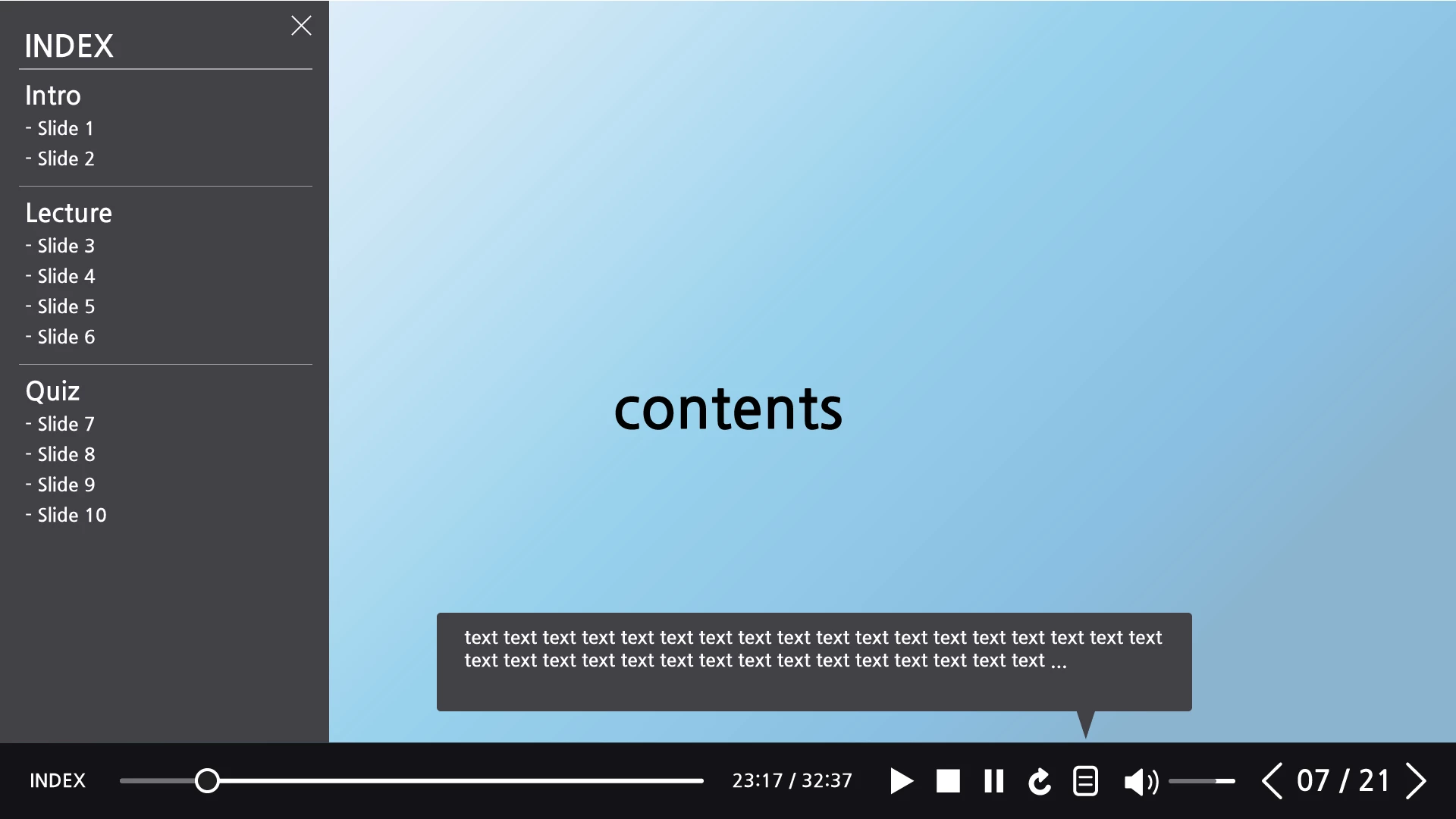
I am sorry that I am not good at English. So I have attached a picture to help you understand.
I want to know a few things. It's good to use the existing features, and it's okay to create a new one.
1. Can I move from slide to slide on 'INDEX' menu?
2. Is there a way to show the time(Current playing time / Total time) to connect to the seekbar on each slide?
This is important because students need to know content's time.
3. If student clicks on the icon to the left of the volume control, subtitles should be shown on the screen. Also, click the icon again and the subtitles should disappear.
Is there a way to apply this feature?
4. Can I mark the page and flip the slide through the buttons?
5. Lastly, I know Captivate supports playback, stop, rewind, and volume control, right?
Please give me a detailed answer. Thank you for reading it.


 AdChoices