


Participant
December 9, 2024
Question

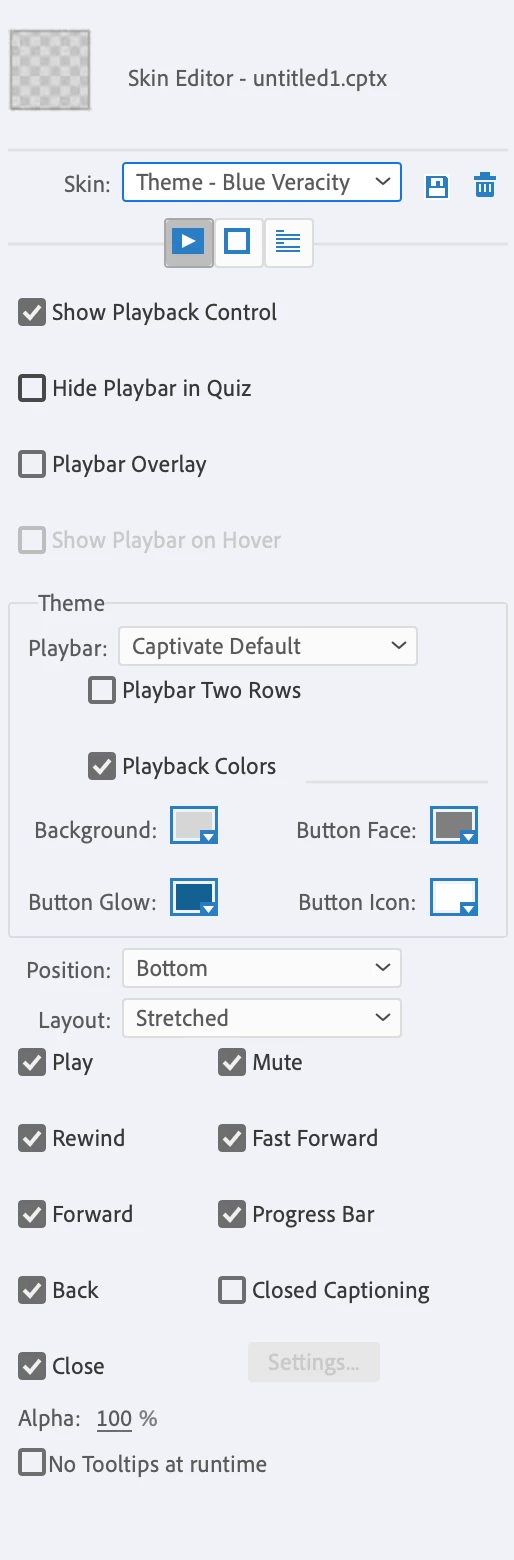
Is there any way to have fullscreen button in adobe captivate classic skin editor.

  • December 9, 2024
  • 1 reply
  • 200 views

I am using Adobe Captivate to create a course with output in SCORM format for an LMS. We’re encountering an issue where the option to make the screen fullscreen seems missing. We couldn't find such a feature while attempting to add a fullscreen button via the Skin Editor. Is there any way to include a fullscreen button?
This topic has been closed for replies.

1 reply

Miho Adachi
Community Expert
Community Expert
December 9, 2024

Hello Sivachandru323629922omt,


Unfortunately, there is no edit in Adobe Captivate to add a full-screen button, either in the Classic version or in the all-new version.


1  The display is supposed to fit the screen in order to do a responsive design.
2  Learners can adjust the display size using their browser's functions.

I personally assume that these are the reasons. But I do feel that there is a need for a full screen button.


By the way, since this is a Japanese community, isn't it hard to find answers?

Here is the community in English, so if you like, you can use this one too.

You can also post your questions here.


I am sure the answer is not desirable for you this time, but I hope you will be comfortable using this application.