
Participant
April 10, 2020
Question

Issue with Assets, Characters under Discover

  • April 10, 2020
  • 1 reply
  • 1092 views

Good morning,

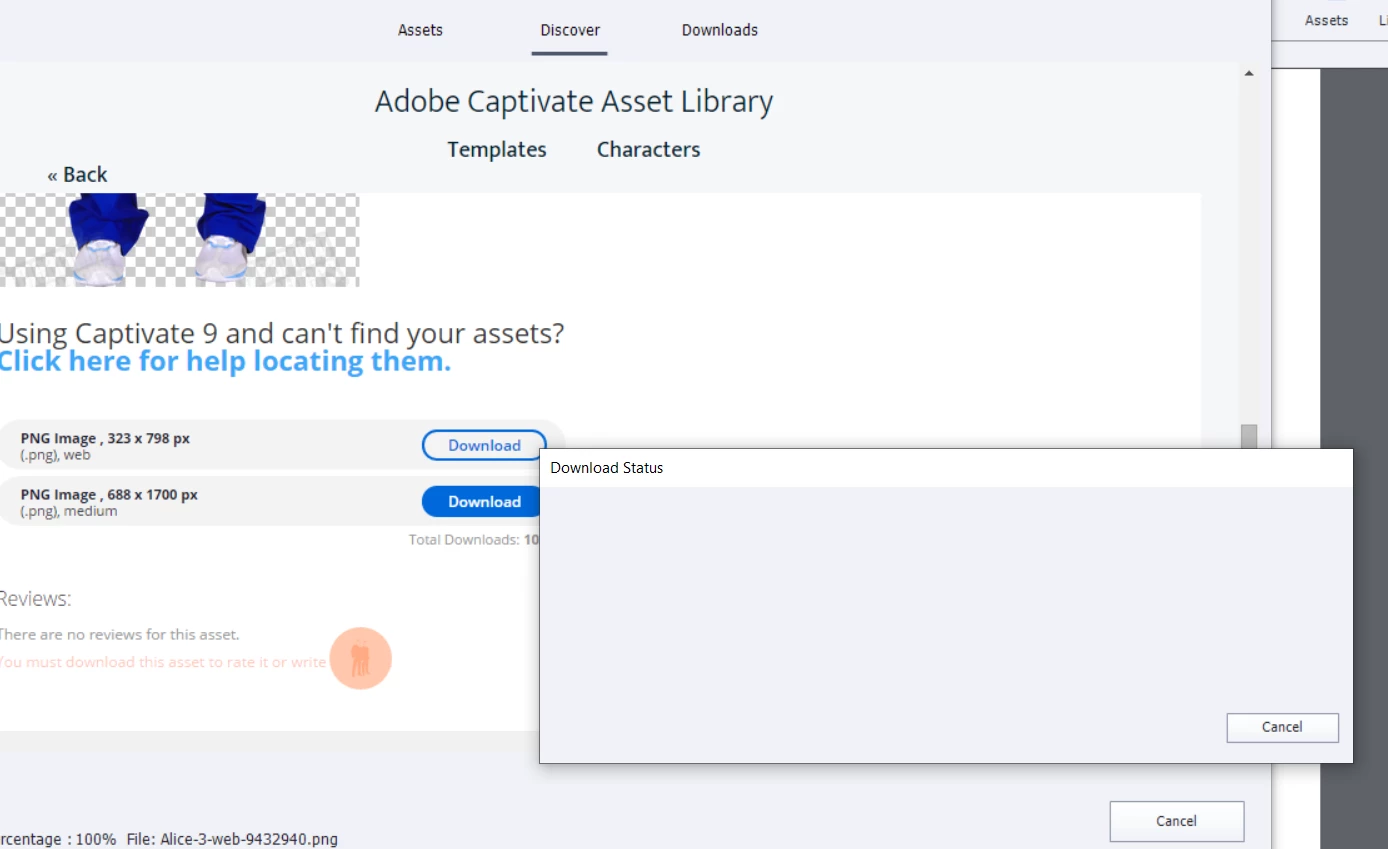
I have just downloaded the trial version and wanted to used some of the additional characters under Assets, Charaters, Discover. I go there, and can browse characters, but if I click download, a screen about download progress comes up that has no progress bar or buttons and nothing happens--see screenshot below. I am on Windows. How can I download these characters? I can download the main set of characters from the Assets, Characters screen, it is just the ones under Discover that don't work. I tried exiting out and restarting Captivate.
This topic has been closed for replies.

1 reply

Lilybiri
Legend
April 10, 2020

Did you check in the eLearning folder if they have been downloaded? It happened to me as well, but if they are downloaded, you will find them under eLearning ACharacters 11_5\Assets\Assets\Images\Hifh or Low depending on yuor choice.  You may also need to reopen the Assets panel to find them under Downloads, Characters.


Hava also a look at this thread:

https://community.adobe.com/t5/captivate/unable-to-download-characters-how-do-i-solve-this-issue/td-p/10711587?page=1

Raph5911169558
Inspiring
May 22, 2020

So while the fix works, you are also deleting the files from the eLearning Assets download ( https://helpx.adobe.com/captivate/kb/access-adobe-elearning-assets.html ) Does this mean in order for one to work you can't use the other? Can you only have one https://helpx.adobe.com/captivate/kb/access-adobe-elearning-assets.html OR the other "Assets"-->  Discover - > <category like "Characters">" ?