
Inspiring
July 23, 2014
Answered

Issue with Captivate 8 and SumTotal Learning Maestro LMS -

  • July 23, 2014
  • 3 replies
  • 1569 views

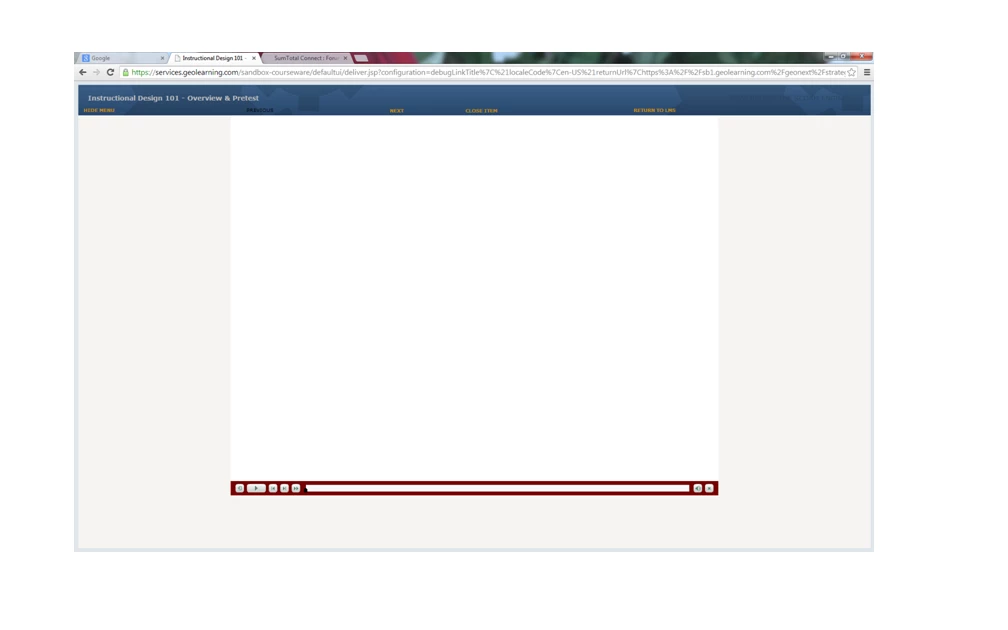
I get blank screen when launching course published as SCORM 2004 using Captivate 8.  All publish settings are the same as used with Captivate 7 and all course properties and settings are the same in the LMS as courses published using Captivate 7. When course launches, instead of the opening screen from the course, a blank frame appears showing the course playbar and the LMS navigation bar. Opening screen does not appear until the play button on the playbar is clicked. Any idea why this is happening?  Below is a screenshot of the blank frame.
This topic has been closed for replies.
Correct answer LBeiriger

Ron,

Thanks for the help.  I found a solution for the problem here: HTML5 Captivate Projects Freezing in Google Chrome v. 36 + |

Since this worked, obviously, the Chrome 36 issue doesn't just break the HTML5 output.  Hopefully the patch will resolve everything.

3 replies

LBeirigerAuthor
Inspiring
July 24, 2014

Adding additional information about this problem.  This appears to be related to issues between Chrome and the Captivate 8 course, but I am not certain exactly why.  Today I redid the Captivate 8 file, using a working Captivate 7 file.  I published the course using Captivate as a SCORM 2004 course.  I tested the course in the SCORM Cloud and it opened correctly to the Opening screen of the course.

Next I uploaded the course to Maestro using IE11 as my browser. The course opened properly when I previewed it from course record.  NO blank screen.

I then went into Maestro using Chrome 36 as my browser ( which is what I routinely use) and created another course -- uploaded the same file for this course. The blank screen with the playbar appeared when I previewed the course from the course record.

Still in the LMS with Chrome as the browser, I then went to the course that I had uploaded using IE11 as the browser -- got the blank screen again.  Does this confirm that the issue is related to Chrome 36 breaking all Captivate HTML5 content?

RodWard
Community Expert
Community Expert
July 25, 2014

Your tests would appear to indicated that is the case.  So maybe the issue with Chrome 36 is NOT limited to HTML5 output.  Interesting.

LBeirigerAuthorCorrect answer
Inspiring
July 25, 2014

Ron,

Thanks for the help.  I found a solution for the problem here: HTML5 Captivate Projects Freezing in Google Chrome v. 36 + |

Since this worked, obviously, the Chrome 36 issue doesn't just break the HTML5 output.  Hopefully the patch will resolve everything.

RodWard
Community Expert
Community Expert
July 24, 2014

You're viewing this in Google Chrome (according to your screenshot).  Is this Chrome version 36?

Varun Kalra
Participating Frequently
July 24, 2014

Hi there,

What happens when you view the published output locally prior uploading the package to LMS.

If it's a zip package, then extract it to view locally and check whether the same thing appears on the first frame?

Also check edit > Preferences > Start and end, is autoplay checked, if not checked then see if there is any image selected?

Does this happen when you create a blank new project in Captivate 8 and then publish scorm and upload it to SumTotal?

Thanks.

LBeirigerAuthor
Inspiring
July 24, 2014

The blank screen does not appear when run locally. The first frame is the opening screen of the course.

Autoplay is checked.  I will try creating a blank new project in Captivate and see what happens.  Thanks.

LBeirigerAuthor
Inspiring
July 24, 2014

I am using Chrome version 36. Our LMS has experienced some compatibility issues with IE 10 & 11, so Chrome is my preference for accessing the LMS.