
Known Participant
August 24, 2015
Answered

Issue with Drag and Drop (Captivate 8)

  • August 24, 2015
  • 2 replies
  • 694 views

I have a drag and drop set up of four headers that must be dragged to the correct columns.  The objects and targets have all been set appropriately.  I also have a "Submit" and "Reset" button present.  I have set up two advanced actions to be executed on success and failure respectively.  The success action shows 4 items (a smart shape, 2 text boxes, and a "continue" button), the failure action is supposed to show 4 items as well (a smart shape, 2 text boxes, and  a "try again" button).

The "On Success" advanced action is working perfectly.  The "On Failure" advanced action is not.  Nothing shows up when you submit with incorrect answers, it just keeps a static screen.  The reset button will work to reset it however.  Do I have to specify somewhere that any and all wrong answers should show failure text.  I want the text to show if any of the four headers are placed incorrectly and I thought it would do that by default.

What am I missing?
    This topic has been closed for replies.
    Correct answer Lilybiri

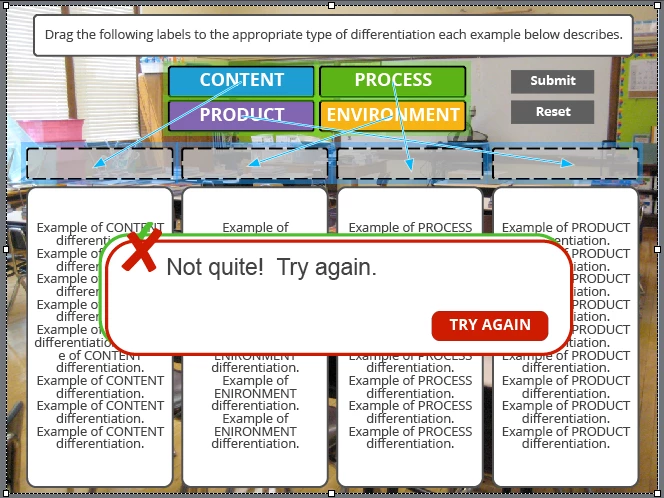
    And for good measure.  Here is a screen shot of the Drag&Drop screen in question.  And the feedback that is supposed to show up.


    That is what I thought, infinite attempts.

    I know that it is confusing, but the 'Failure' action is in reality a 'After last Attempt' action as you can find for Question slides. That means that with Infinite attempts it will never be executed, and should be dimmed, but sorry it is not dimmed. Contrary to the Failure caption that will show up after each failure. Bit lack of consistency...

    2 replies

    Lilybiri
    Legend
    August 24, 2015

    How many attempts do you allow for the Drag&Drop?

    vweagleAuthor
    Known Participant
    August 24, 2015

    Infinite

    Captiv8r
    Legend
    August 24, 2015

    Hi there

    Can you share a screen capture showing what your advanced actions look like?

    Cheers... Rick

    vweagleAuthor
    Known Participant
    August 24, 2015

    Sure. I'm attaching screen shots of the two advanced actions ( the "correct" which works fine and the incorrect which does not). And also the Drag and Drop settings from my workspace.

    vweagleAuthor
    Known Participant
    August 24, 2015

    Let's try that again.  Images attached