Participant
May 31, 2017
Question

Issues Installing Neo Speech in Captivate 9 v 9.0.2.437

  • May 31, 2017
  • 1 reply
  • 618 views

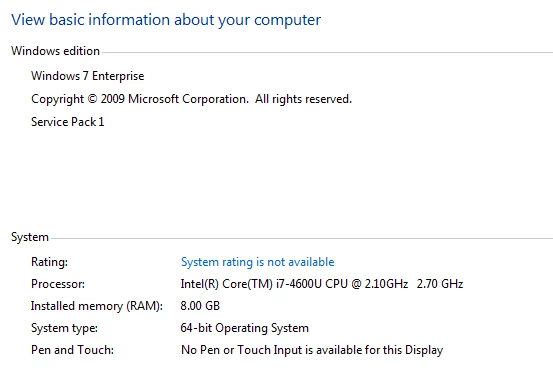
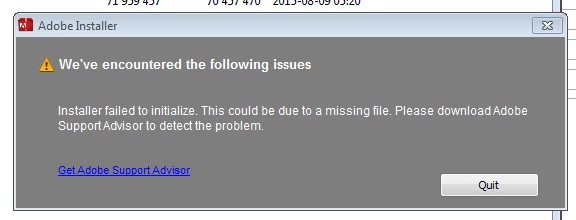
I am having problems installing Neo Speech. I download the zipped file and when I click set-up.exe, I receive an error message saying installer failed to initialize. Error msg and system info included.

Can't find any resolution online or in any of the forums.
    This topic has been closed for replies.

    1 reply

    HimanshuSatija
    Adobe Employee
    Adobe Employee
    June 1, 2017

    Hi,

    This error comes if you try to run the installer from the zipped folder.


    Please unzip the contents of the .zip folder which you have downloaded and then try to run the installer again.

    Regards

    Himanshu

    melissa_AIG
    Participant
    June 6, 2017

    Hi,  I am having a similar issue.  I was able to download the neo-speeches for Adobe Captivate however, the voices do not appear in the program. I only have one voice to choose from in the audio/speech management menu.  How do I get the additional voices into Captivate?

    Thank you,

    Melissa

    HimanshuSatija
    Adobe Employee
    Adobe Employee
    June 6, 2017

    Hi Melissa,

    I am assuming that you were able to install those voices after downloading but you still don't see it in the Captivate program.

    Please confirm the exact version of Adobe Captivate you are using. Go to Help > About Adobe Captivate.

    If you are using Captivate 9 then it must be updated to 9.0.2.437.

    You can try to reset the preferences and then check the behavior.

    You need to rename the Captivate 9.0 folder at the below location and then relaunch Captivate and check if you are able to see the voices.

    Windows :Windows 7: C:\Users\[user name]\AppData\Local\Adobe\Captivate 9.0

    Mac : /Users/[user name]/Library/Preferences/Captivate 9.0

    Regards

    Himanshu