


Issues with Asset panel in Adobe Captivate (2019 release)
Asset Panel is blank
When you click Asset Panel on the toolbar, the panel appears empty.
Solution
- Download Assetpanel.txt file and save it on your machine locally.
- Rename the file Assetpanel.js.
- Copy AssetPanel.js file from the attached to C:\Program Files\Adobe\Adobe Captivate 2019 x64\ui_components\AssetsPanel folder.
- Restart Adobe Captivate and launch the Asset Panel.
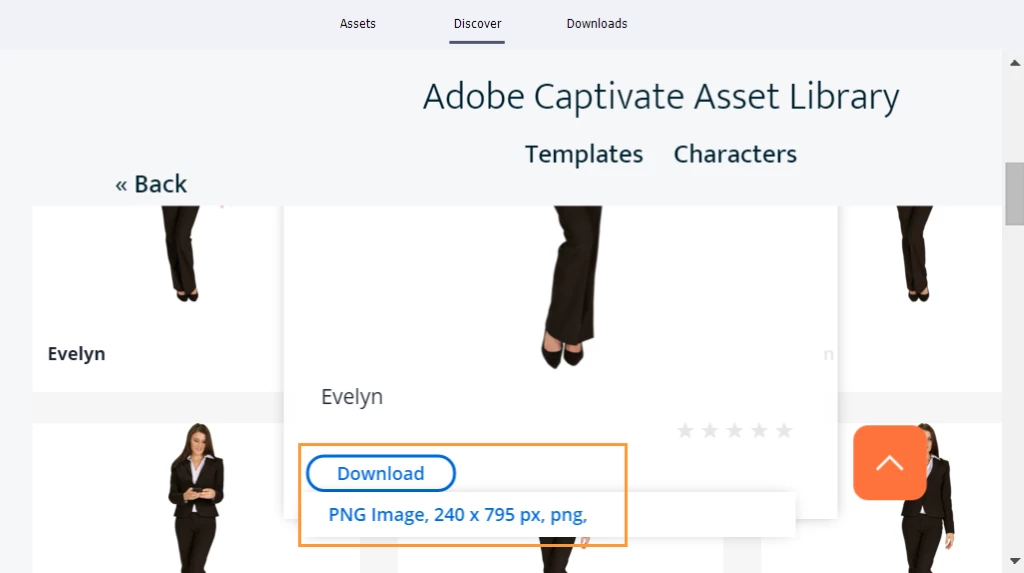
Unable to download characters from the Asset Panel
When you try to download characters from the Discover tab, a blank screen appears. The file gets downloaded in the Temp folder; you cannot open the file.
Solution
Windows
Clear preferences.
- Navigate to C:\Program Files\Adobe\Adobe Captivate 2019 x64\utils.
- Run the batch file CleanPreferencesWin.
Delete the following folders from C:\Users\Public\Documents\Adobe\eLearning Assets.
- 11_5
- Content
- Characters_11_5
- Interactions_11_5
- Layouts > 11_5
Update to the latest version of Captivate.
- Launch Adobe Captivate.
- Click Help > Check for Updates.
- Follow the on-screen instructions.
MacOS
Clear preferences.
- Navigate to Captivate installation location > Utils.
- Run the file CleanPreferencesMac.
Delete the following folders from Documents > My Adobe Captivate Projects > Adobe > eLearning Assets.
- 11_5
- Content
- Characters_11_5
- Interactions_11_5
- Delete the folder 11_5 in Documents > My Adobe Captivate Projects > Layouts.
Update to the latest version of Captivate.
- Launch Adobe Captivate.
- Click Help > Check for Updates.
- Follow the on-screen instructions.
Captivate crashes while downloading characters from the Asset Panel
Captivate crashes or freezes if you try to insert any character from the Asset Panel.
Workaround
If you are on Windows, unzip and replace the file CaptivateUI.dll file in C:\Program Files\Adobe\Adobe Captivate 2019 x64.
Note: Take a backup of the file before replacing it.
If you are on MacOS, follow the workaround below:
Instead of clicking the file, mouse over the Download button, and then click the size that you want to download.


 AdChoices