


Question
Issues with Captivate's ToC - Unable to rearrange or create groups
Hello,
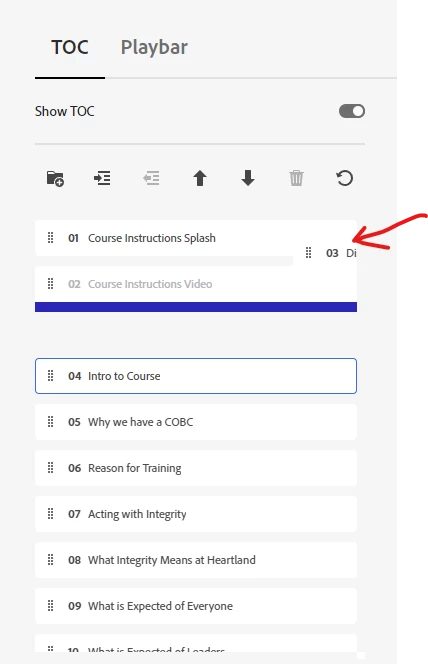
I’m experiencing an issue in Captivate (Not Classic Captivate) when trying to rearrange and group slides within the Table of Content (ToC) setting menu. The slides are sticking to my mouse when trying to drag or click to move. Additionally, this prevents me from grouping slides together in groups.
Course I am working on has several sections that I ideally want to group together in the ToC for easy user access. Updated to 13.0.0 version last month when this issue first appeared. It is affecting both brand new and old courses.
Only thing I can do is “hide” slides and rearrange via the arrows. Unable to group or create any levels due to the bug.
Attached is a screenshot and a short video showing the error.
 AdChoices