


tonyb4835892
Inspiring
January 25, 2021
Question

Issues with Image as Button because of HTML5/SWF

  • January 25, 2021
  • 3 replies
  • 630 views

Greetings All.

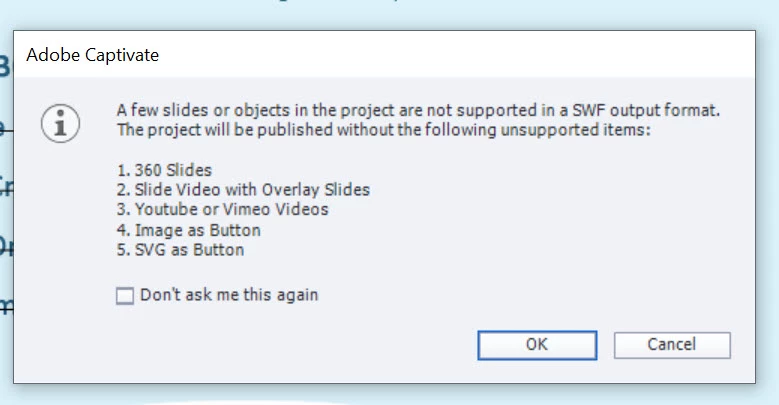
If I try to place an image and "Use as Buton" and try to preview or publish I get this:
 

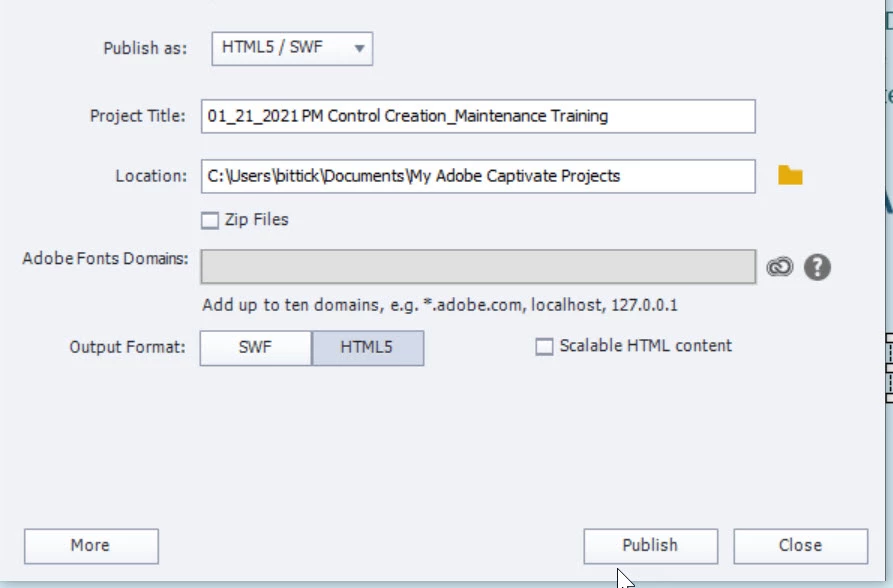
The publishing settings look like this  Publish as: HTM5/SWF and then an apparent option at the bottom to select one or the other or both.
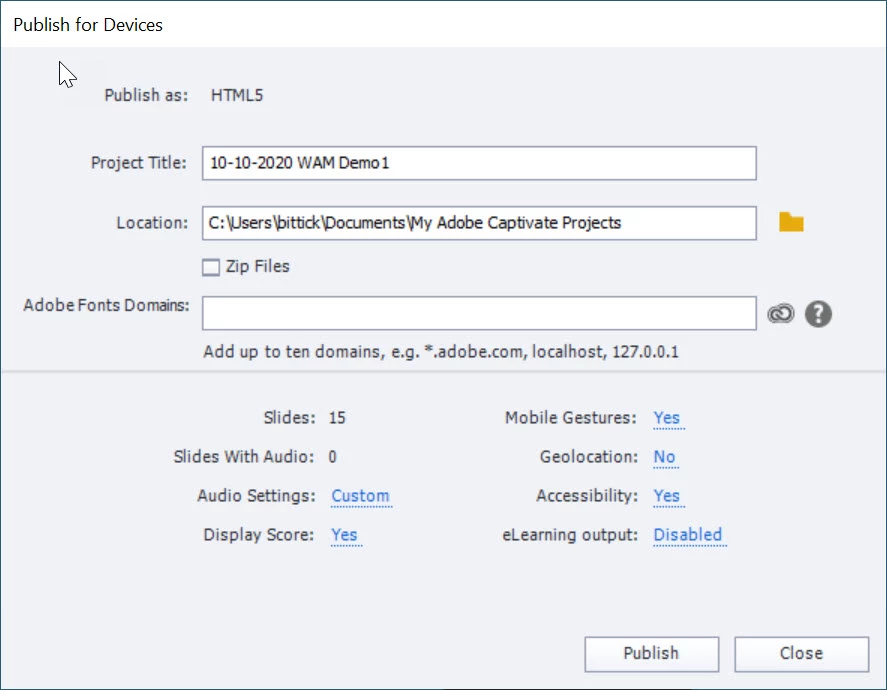
What's really weird is another project I did about a month ago has these settings: Publish to HTML5 only. No mention of SWF. What gives?


Thanks and gratitude to anybody who can help.


    This topic has been closed for replies.

    3 replies

    tonyb4835892
    Inspiring
    January 25, 2021

    A few new details. Given the info  gleaned here, I started a new Responsive project and was able to place the image, use it as a button and assign an action to it. No problem.


    So I went back the Linkedin Learning tutorial I reference from time to time and realized that when they saved a non-responsive version of the same project they removed all such items; buttons and/or any kind of interaction. Bascially it was a PowerPoint deck at that point. Does that sound right?


    Nonresponsive = no interactivity

    Responsive = interactive


    For kicks I also saved a copy of the current project as a Responsvie Project. On the surface it looks like nothing changed and I was able to add the image/button/action. However, when previewing the project the font sizes change and there are icons that appear and I have no idea why.


    Thoughts?


    Lilybiri
    Legend
    January 25, 2021

    That is  just b....   Sorry for the expression.  When people compare Captivate output with PPT I get angry.

    Non-responsive or responsive project: both can have as much interactivity as you want.  If you learned something else from LinkedIn it is time to complain about that course. On MP4 output can never have interactivity, but non on normal output.

    The buttons you see are the expansion buttons: when the text is not fitting in the available space.

    Reduce the minimum font size to 10pt of 8pt and you'll get rid already of some of those icons.

    The font size is managed by Captivate. If you want all of the lines to be always at the same font size, whatever the browser resolution, you need to turn on 'Enable Uniform Text Scaling'.

    tonyb4835892
    Inspiring
    January 25, 2021

    No offense intended certainly and the intent was not to compare them the two apps. Just a simple statement. In the Responsive version there were buttons and sound affects and moving logos (not that I'm a fan) but when in non-responsive form there just wasn't any of  that. 


    I guess in trying to work this out the first question is "Can you use images as buttons in a Non-responsive project" and the answer seems to be no. 


    Lilybiri - when you say both kinds of projects can have "as much interactivity as you want" can you share with me what interactivity means in this case? I'm wondering if we have the same expecation from that word.


    As always, thank you for all the feedback.


    Lilybiri
    Legend
    January 25, 2021

    Rod is correct, the Wam... project was a responsive project which explains the different Publish dialog box.

    Images (bitmap and SVG) are not supported for SWF output. In a non-responsive project (your first screenshot) the only Preview method wich is not using a temporary SWF output is F11, Preview HTML in Browser. That could explain that warning popping up when you try another Preview method. But for publishing I don't understand why that warning would appear.

    tonyb4835892
    Inspiring
    January 25, 2021

    So I understand thet publishing options issue. The ultimate issue is this.

    I can't add an image as a button to either of the two projects. When I try to do the same thing to DEMO (responsive) as to WAM (non-responsive) I get an "Object Construction Failed".


    Once I add the image I can't seem to preview or publish either project.


    RodWard
    Community Expert
    Community Expert
    January 25, 2021

    Was the WAM Demo project a responsive project?  Your publish settings would seem to indicate it and that would explain why it wasn't mentioning SWF.

    tonyb4835892
    Inspiring
    January 25, 2021

    Thank you Rod - and yes, that makes sense. I had forgotten but the Demo site was responsive.