Known Participant
February 3, 2010
Question

Issues with streaming flv in Captivate 4

  • February 3, 2010
  • 1 reply
  • 1382 views

I'm trying to view a streaming video in Captivate 4.

The video server is an in-house web server.

Nothing shows in Preview mode. When CP project is published, I get a dialogue box asking if I want to open or save:
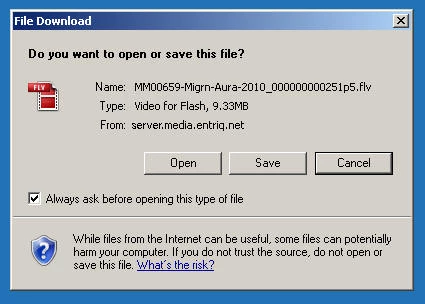
If I open, Adobe Media Player opens. I don't want to view it in Adobe Media Player. I want the flv file to run in Captivate.

I have scoured the forums, but haven't seen an answer except maybe the Windows 2003 server issue (which I'm checking on.)

What am I missing?

This topic has been closed for replies.

1 reply

Known Participant
February 4, 2010

Well, here is a work-around that may be helpful (though you need to have Flash and access to the flv file):

1. Import the flv file into Flash

2. Publish the Flash file to swf

3. Insert an animation into Captivate

4. Select the Flash swf file from #2 above

5. Publish the Captivate project

My colleague also noted:

Adobe has documented that Captivate will not play FLVs that are not encoded with metadata, and I have verified that the files on the server do not have metadata, so we are going to try to resolve that first.

johndaigle
Legend
February 4, 2010

Hi, Ed. You might want to review these things:

1. I often need to inject Metadata into the FLV. This is important because Captivate needs to know things like how long the Video plays etc. and this data is provided by the metadata. The free Buraks FLV Metadata Injector does exactly that.

Because it is a little cryptic to use, I created a narrated Captivate demo to show you exactly how to use it. The demo is very short.

http://www.showmethedemo.com/Resources.htm

When you get to that page, click on the link, Using           FLV MetaData Injector to see the demo.

2. Please have your web admin  folks look at this link.

http://kb2.adobe.com/cps/194/tn_19439.html

My own web  server is Windows Server 2003 and I had to use this tech note article myself (and it worked!)

John Daigle

Adobe Certified Captivate and RoboHelp Instructor

www.showmethedemo.com

John DaigleAdobe Certified RoboHelp and Captivate InstructorNewport, Oregon
Known Participant
February 4, 2010

This is great, John.

THANKS!!