
Inspiring
November 6, 2018
Answered

Javascript to put content of WebObject into variable or array?

  • November 6, 2018
  • 1 reply
  • 827 views

Captivate 9, fully updated.

HTML5 output only.

Non-responsive only.

Hello.

I have Captivate slide accessed from our training server.

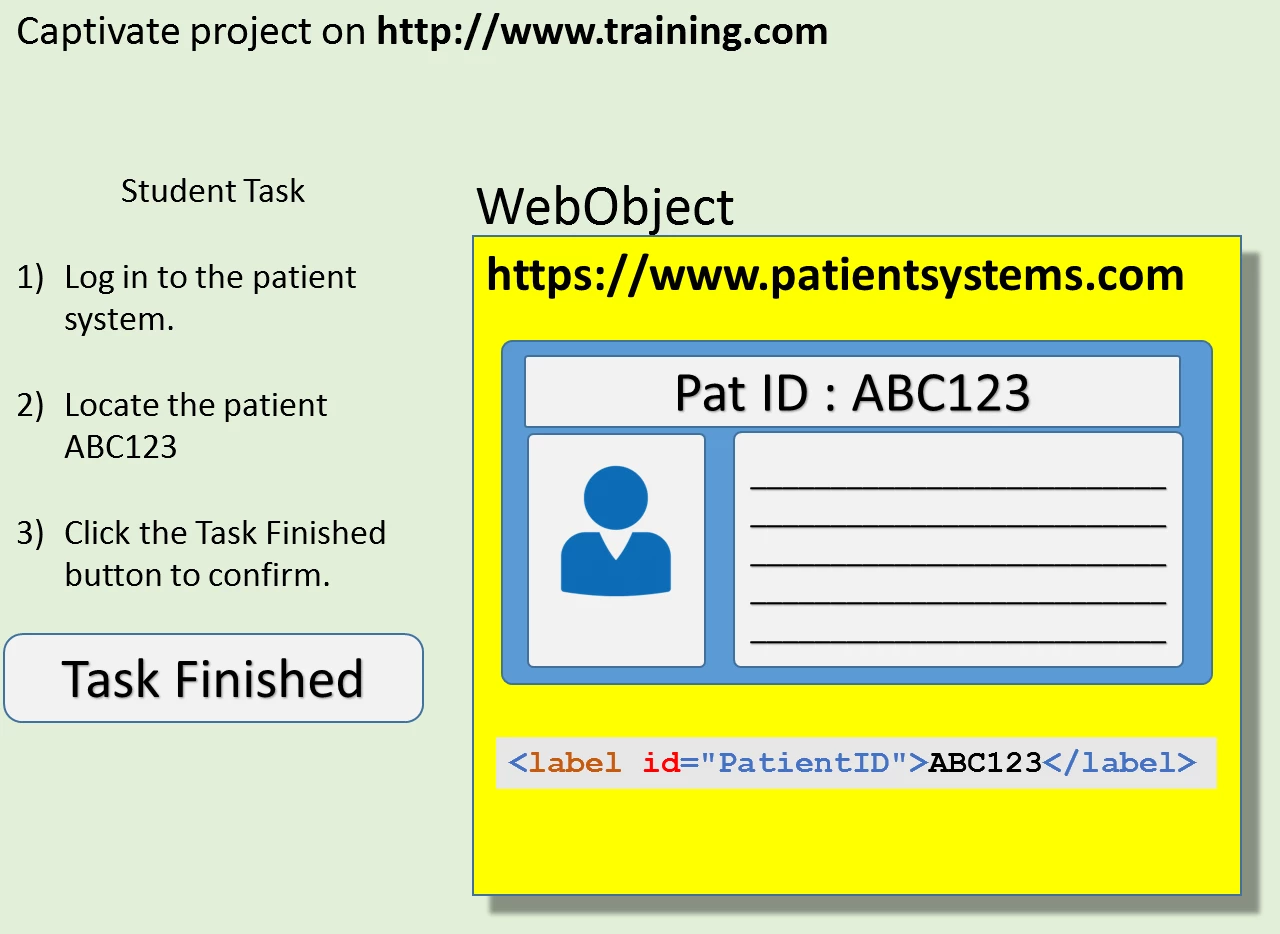
The slide has a WebObject  that displays information from a hospital Patient System on a different server.

(I have no control over the Patient System, it is created and managed by a third party.)

As a student task I need the student to browse the patients in the WebObject, and then click the Task Finished button on the slide.

When Task Finished is clicked, I need to identify the PatientID so that I can use it in Captivate.

The PatientID is always located in the HTML code <label id="PatientID">ABC123</label>

I know how to create all of this in Captivate.

The only part of this that I cannot do is getting the content of the WebObject into a javascript variable or array.

Once I have the content in a javascript variable or array, I know how to search through it to locate the PatientID.

My Question:

I have searched online and found lots of Javascript information about getting the content of an iFrame, but to be honest I'm finding it confusing, and I just don't know where to start.

What I would appreciate is for just a quick and dirty pointer as to how to start this.

Thank you

Peter

(The URLs in the image below are dummies just for example.)
    This topic has been closed for replies.
    Correct answer TLCMediaDesign

    Create a variable in Captivate where you want to store the ID;

    Then execute this JavaScript on the Task Finished button:

    var getFrame = document.getElementsByTagName("IFRAME")[0];

    var elem = getFrame.contentWindow.document.getElementById("PatientID");

    window.yourVariable = elem.innerHTML;

    Change yourVariable to the variable you create.

    Note: You may run into CORS issues.

    1 reply

    TLCMediaDesign
    TLCMediaDesignCorrect answer
    Inspiring
    November 6, 2018

    Create a variable in Captivate where you want to store the ID;

    Then execute this JavaScript on the Task Finished button:

    var getFrame = document.getElementsByTagName("IFRAME")[0];

    var elem = getFrame.contentWindow.document.getElementById("PatientID");

    window.yourVariable = elem.innerHTML;

    Change yourVariable to the variable you create.

    Note: You may run into CORS issues.

    Inspiring
    November 7, 2018

    @TLCMediaDesign

    Thank you, your code worked perfectly, and as you predicted I ran into the CORS issue.

    I don't think I can get around this using Javascript, so maybe I can figure something out in PHP.

    Unfortunately the website I want to put in a frame is on a different domain to me, and it uses the HTML shown below, and I guess that means I can't do what I am attempting.

    <meta http-equiv="X-Frame-Options" content="SAMEORIGIN" />

    Once again, thank you for you help, it is always much appreciated.

    Peter

    Note to anyone who wants to use this code: getElementById"PatientID"); was missing a bracket getElementById("PatientID");

    TLCMediaDesign
    Inspiring
    November 7, 2018

    Is Patient Systems a client?

    It would be very easy for them to add your URL to allow access.