Participant
September 26, 2022
Question

Jump to Slide" in Advanced Action Not Working

  • September 26, 2022
  • 1 reply
  • 164 views

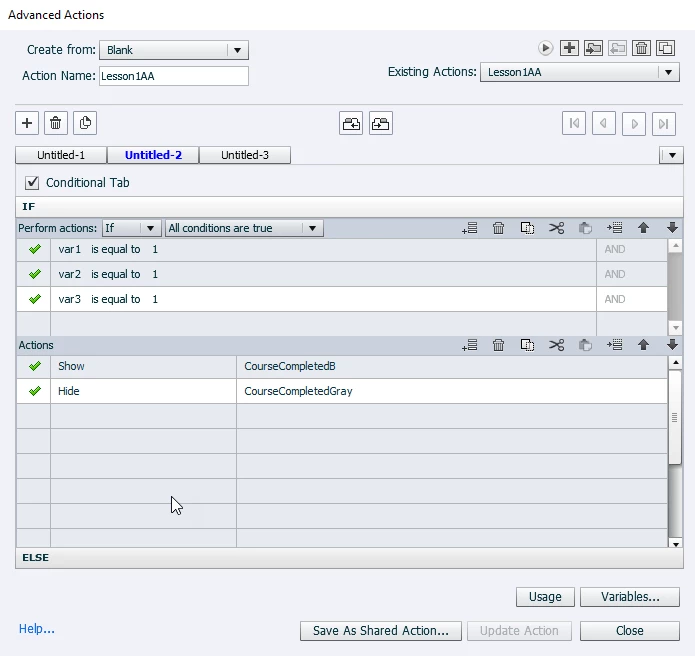
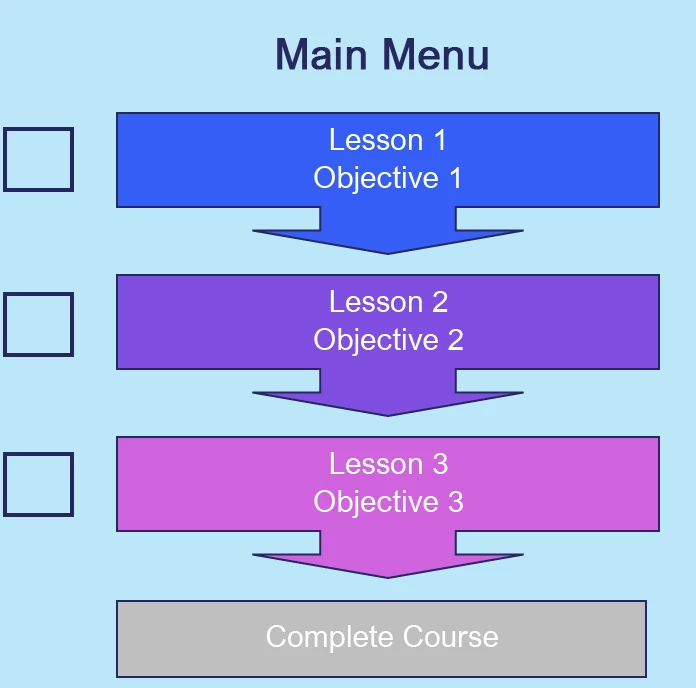
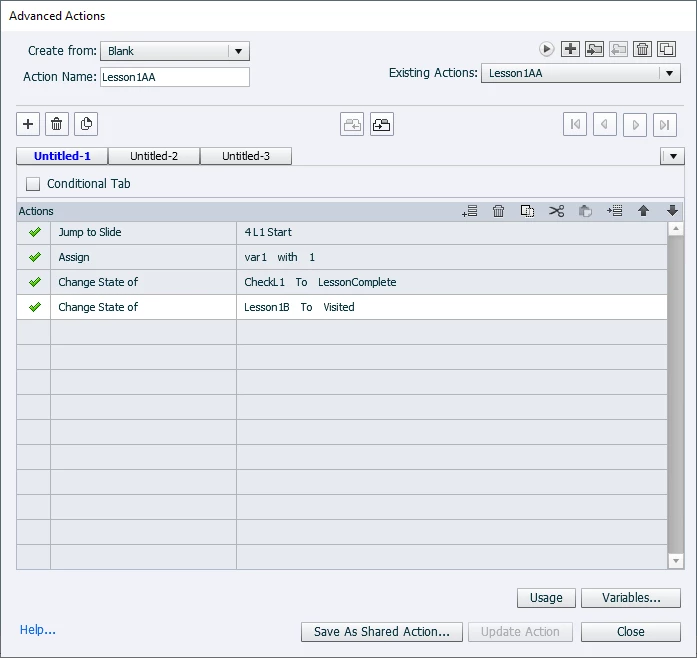
I'm using Adobe 2019 and have a main menu slide in my course with 3 different lessons the users have to complete. I have a button hidden until the 3 lessons are completed that will allow them to move to the course summary. I've set up advanced actions for the 3 lessons, however, the "jump to slide" piece of the action does not work (everything else does). Any ideas? I tried delete/recreating the buttons, setting up new variables names, new button names, etc. Nothing has worked.


    This topic has been closed for replies.

    1 reply

    Lilybiri
    Legend
    September 26, 2022

    There are many releases under the common name CP2019, please give the eact number, which you find under Help, About Captivate. Three main releases (11.0, 11.5 and 11.8) but also many patch releases.

    You show action but do not specify which events are used to trigger those actions. I suppose the first action (non-conditional) is used on a Back button at the end of each chapter? And the conditional action (where is ELSE?) is used On Enter for the menu slide?

    There is only one Jump to command. It looks like you cannot jump backwards. Do you have a Quiz in this project? If yes, did you allow Backward movement in Quiz Settings?

    Mandy_McAuthor
    Participant
    September 26, 2022

    I'm using Captivate 2019 11.8.0.586. I have an advanced action like the one I included for each of the 3 lessons. Within each lesson there is a menu of items for the user to complete, along with a button that sends them back to the main menu. I was trying to have the button that is hidden also be part of the scoring so included it in reporting. I found that if I remove the hidden button from reporting, then the "jump to slide" works, but if it's included, it won't work. 

    Lilybiri
    Legend
    September 26, 2022

    You didn't answer my question about the events, not sure what your goal is about that hidden button. What about the quiz? Since you have scoring on, even if it is only for one button, you need to allow Backward movement in Quiz Settings.