
Participant
April 16, 2018
Answered

Knowledge Check Slide - Answers don't display, rather pop-up window

  • April 16, 2018
  • 1 reply
  • 447 views

Hello,

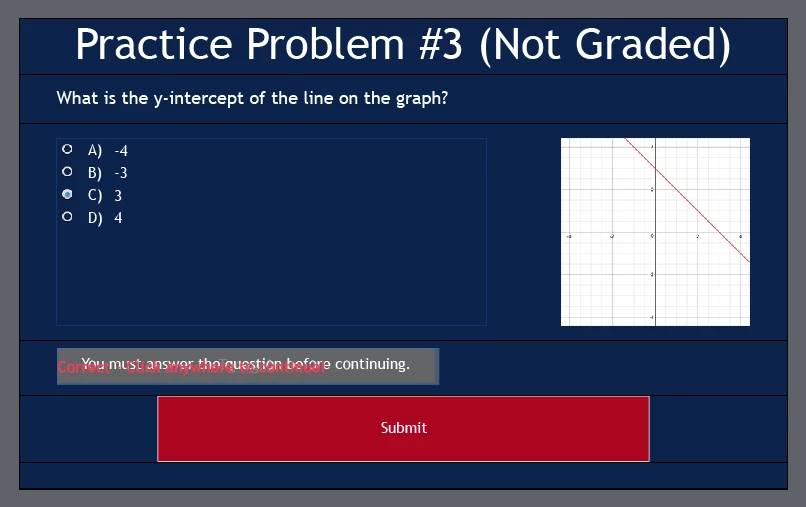
I have a project I am working on with three knowledge check slides throughout the module. When I'm editing the module in Captivate, everything looks fine and the answers display right on the screen, but when I preview the project the answers don't show right on the screen and rather require the user to click on an icon to display the answer choices in individual pop-out windows. How do I just make the answers display right on the screen?

Here what it looks like when I'm editing in Captivate:
Here's what it looks like in the preview:

Thanks!

This topic has been closed for replies.
Correct answer Lilybiri

You are using the fluid boxes as they are designed on the master slide? More explanation to be found in my blog post:

Tips for 'Fluid' Quiz Slides - Captivate blog

This is very strange, I have explored the fluid boxes on the master slides quite a while before writing that post and never did see the expand buttons appear.

I also tend to change the minimum font size to 10 pt instead of the default 14pt.

Is the used theme a default theme packed with Captivate 2017 or is it an upgraded theme?

1 reply

Lilybiri
Legend
April 16, 2018

Are you using CP2017 and is this a responsive project with fluid boxes?

The icon you see is the expand text button, appears when the container for the text is too small to show the text. Can you make the containers bigger, especially the height? I am talking about the answer text containers, not the Answer area.

Participant
April 16, 2018

Are you using CP2017 and is this a responsive project with fluid boxes?

- Yes and yes

The icon you see is the expand text button, appears when the container for the text is too small to show the text. Can you make the containers bigger, especially the height? I am talking about the answer text containers, not the Answer area.

- I tried this, and didn't work Here is a screenshot showing the size of the selected "B" answer choice.

Lilybiri
LilybiriCorrect answer
Legend
April 16, 2018

You are using the fluid boxes as they are designed on the master slide? More explanation to be found in my blog post:

Tips for 'Fluid' Quiz Slides - Captivate blog

This is very strange, I have explored the fluid boxes on the master slides quite a while before writing that post and never did see the expand buttons appear.

I also tend to change the minimum font size to 10 pt instead of the default 14pt.

Is the used theme a default theme packed with Captivate 2017 or is it an upgraded theme?