


Trainer Vail
Participant
November 9, 2022
Question

Learner only sees buttons on a blank slide in published project created from PPT

  • November 9, 2022
  • 1 reply
  • 133 views

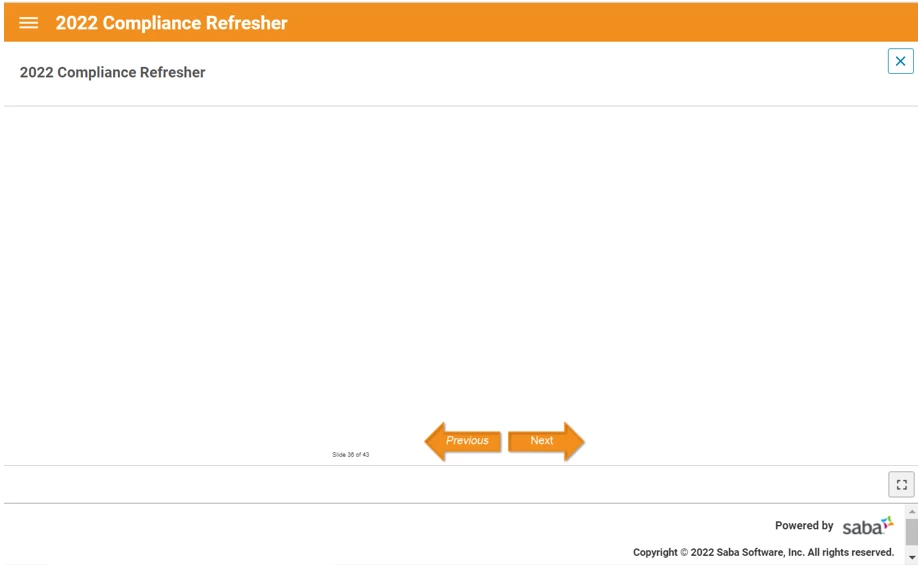
I was asked to create a Captivate project from a PowerPoint and it has been published to our LMS. One of the learners sent a screenshot showing that several slides were blank except for the next/previous buttons and the slide numbers (picture below). Since I used the "Create Project from PowerPoint" option, these buttons and slide numbers were the only thing I had added. 


I can't duplicate this error in testing, there is definitely content on the slide. 

Has anyone else seen this error? I've been googling and searching this site but can't find anyone else with the same issue.


The only thing I can think of is the learner was commecting from home through a virtual desktop using the VMware Horizon client and maybe that affected it? Any help would be appreciated as this is Compliance training so figuring this out is high-stakes for me!


This topic has been closed for replies.

1 reply

Lilybiri
Legend
November 9, 2022

Did you edit any master slide? PPT slides are based on the Blank master slide which needs to be really blank. 


How did you test? This is probably a non-responsive project, you need to test it on several browsers using Preview HTML in Browser (F11). Is it looking OK with that Preview?

Trainer Vail
Participant
November 10, 2022

Thank you for responding Lily!

I have Previewed HTML in browser using Edge and Chrome (the only browsers installed on our company computers). Everything looks normal and I can't duplicate the error. And you're correct it is non-responsive. 

Trainer Vail
Participant
November 10, 2022

Sorry I also meant to add - I did not edit any master slides except the multiple choice quiz master. But these were added after I created the project from PowerPoint.