Question
Loss of Close/OK button on Slide Audio's Closed Captioning tab
Hello,
I'm using Cp 6 (6.0.1.240) and I've lost access to the close button on the Slide Audio's Closed Captioning tab. I don't know how it happened. I have been adding closed captioning for a while for both this project and others in the past and this has never happened before. I've tried un-installing Cp and re-installing it. When that didn't work, I un-installed the entire eLearning Suite and re-installed it but still I get the view you see below where a grey area blocks the bottom half of the window. I can't scroll beyond that area of grey. Also, once in the Slide Audio window and I can't access the close button, I'm forced to go to Windows Task Manager to close Cp.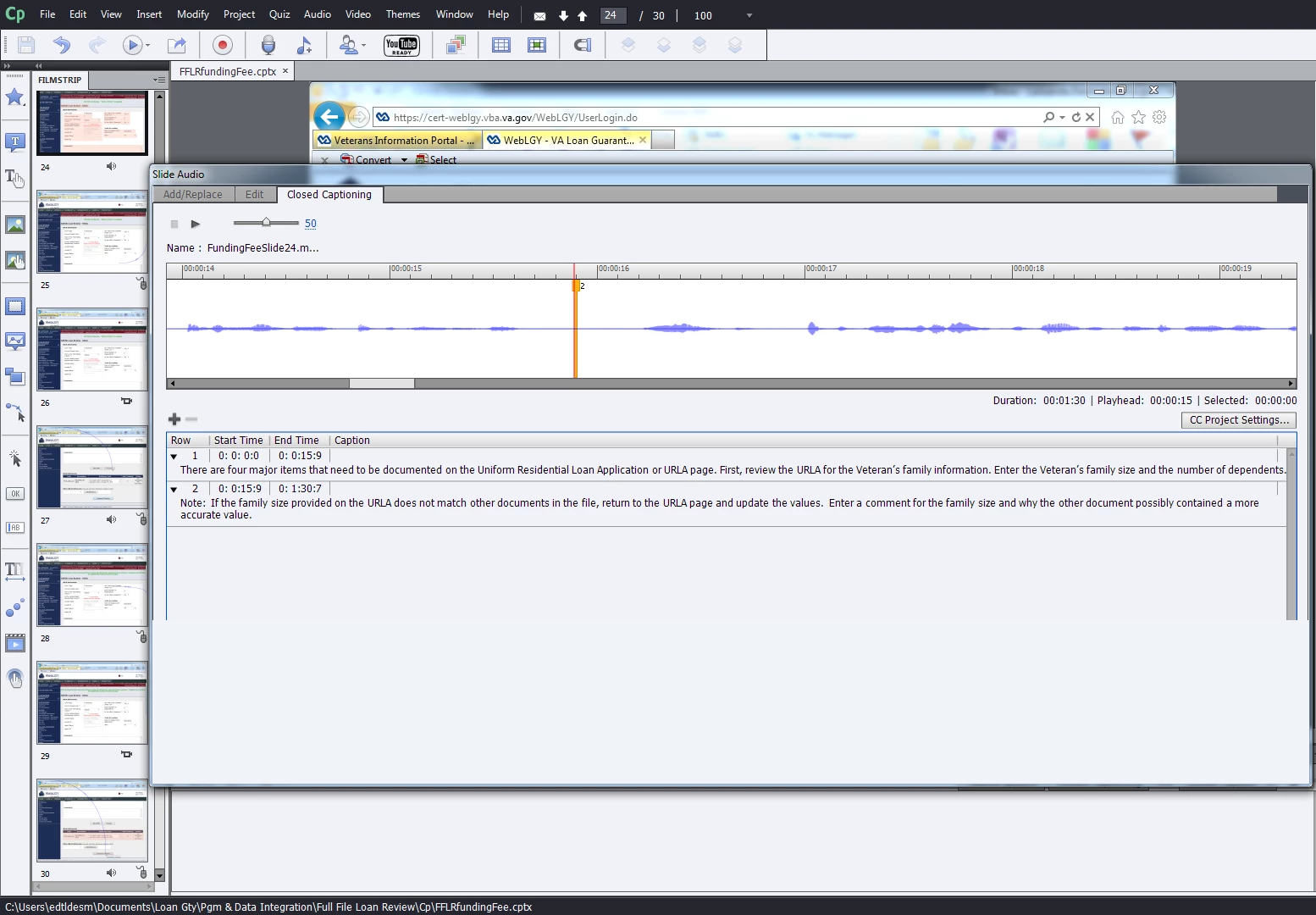
 AdChoices