
Known Participant
November 22, 2019
Answered

Master Slide

  • November 22, 2019
  • 1 reply
  • 471 views

Hello, I would like to learn how I can add an object to one slide, and get it to appear on other added slides automatically. I tried adding it to the master slide, but when I went back to the flimstrip view and added a new slide, it wasnt there. Im using Captivate 2019. 
This topic has been closed for replies.
Correct answer Lilybiri

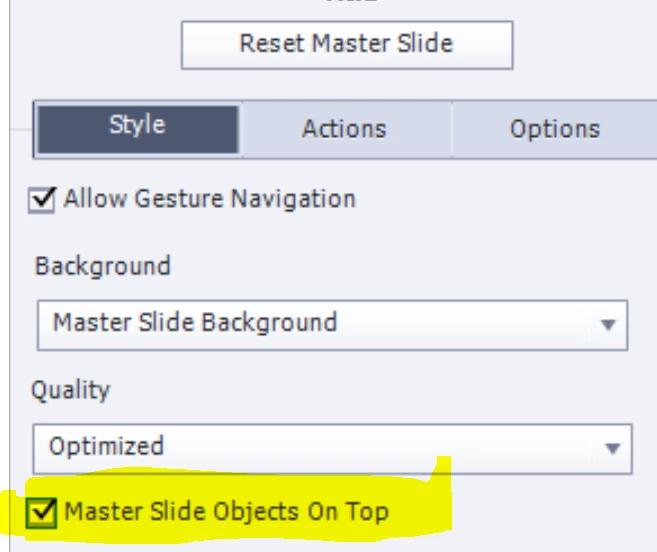
Did you check the option Master slide objects on top?


Another possibile workflow is to time the object on a normal slide for Rest of Project (always on top). That will allow you to hide the object on slides where you don't want to see it, since it has an ID. Objects on master slides have no ID.

1 reply

Lilybiri
LilybiriCorrect answer
Legend
November 22, 2019

Did you check the option Master slide objects on top?


Another possibile workflow is to time the object on a normal slide for Rest of Project (always on top). That will allow you to hide the object on slides where you don't want to see it, since it has an ID. Objects on master slides have no ID.

Known Participant
November 22, 2019

Thank You.That worked. 

Lilybiri
Legend
November 23, 2019

You're welcome. Wished all answers could be that simple!