
Participant
November 7, 2018
Answered

Master Slides Missing

  • November 7, 2018
  • 2 replies
  • 456 views

I have an interesting issue that just appeared.  The entire Master Slide ensemble is missing or not appearing in my Captivate 2019 edition.  I have the latest update 11.0.1.266.  I recently uninstalled the program hoping to fix the issue but was not successful in that endeavor.  Has anybody else had this issue?

Have never had this issue before.  Any ideas or suggestions?
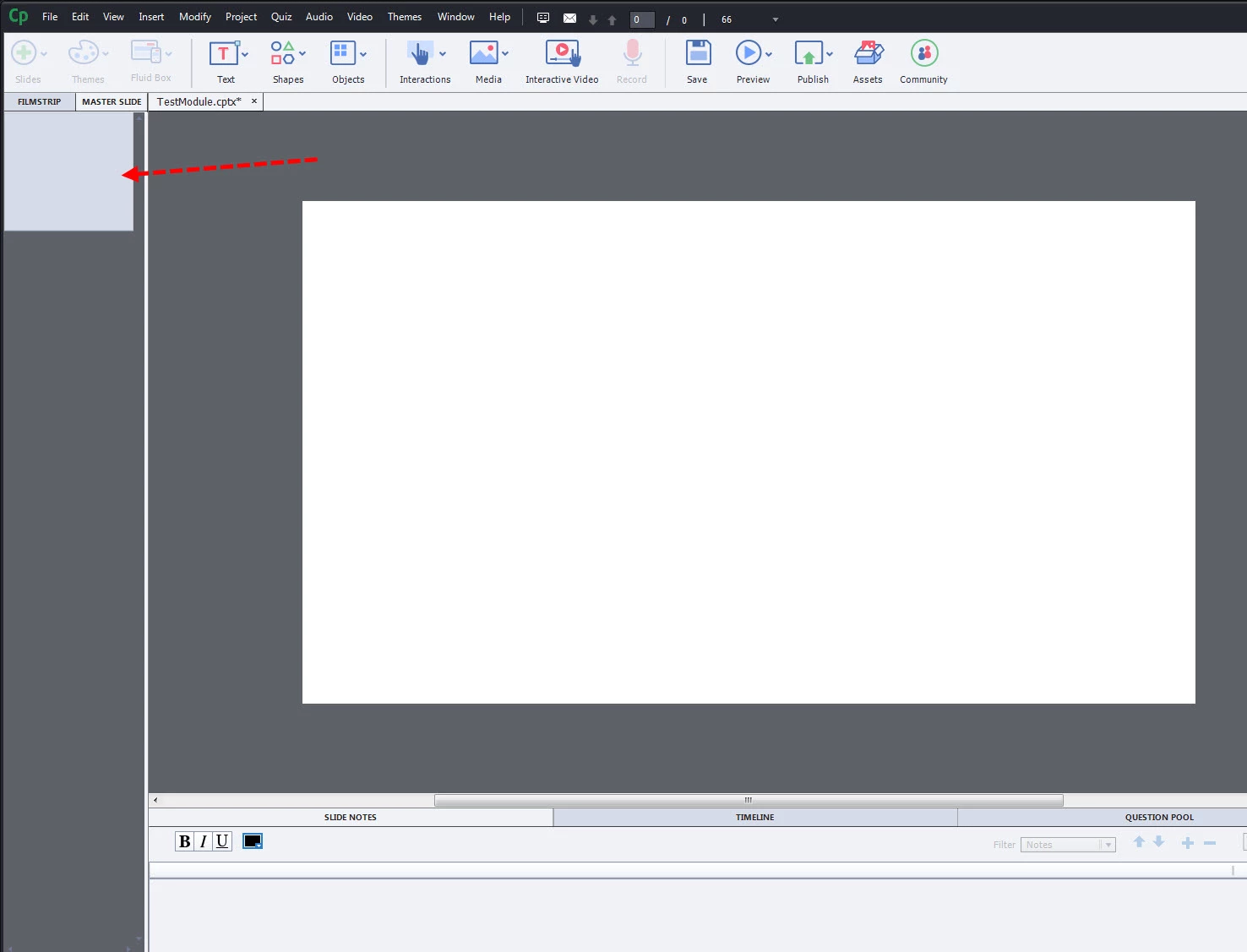
I had some other issues recently also, related to Failing to Publish error messages.

Message was edited by: Kevin Yeoman

This topic has been closed for replies.
Correct answer Lilybiri

Are  you on Mac or Windows?

I can only help with Windows.

Either the Preferences have been corrupted or the Themes.

For the Preferences: run the CleanPrefercens.... file which you find in the subfolder 'utils' under the installation folder while Captivate is closed . When reopening a fresh folder will be installed. If that is not solving the problem:

The Themes can be found in Public Documents\Adobe\eLearing Assets\. It is the folder 'Layouts'. While CP is closed, delete that folder. It is a duplicate of the origingal folder in the Gallery. When you restart CP a new duplicate will be created in Public documents?

2 replies

Participant
November 7, 2018

Lilybiri,

I am working in Windows 7.  Thanks for the suggestions, I ran the CleanPreferences batch file first but to no avail.  Next I deleted the Layouts folder and that seemed to correct the problem.

Thanks, as usual you are right on the mark,

Lilybiri
Legend
November 7, 2018

I am happy that it worked! Enjoy CP2019i

Lilybiri
LilybiriCorrect answer
Legend
November 7, 2018

Are  you on Mac or Windows?

I can only help with Windows.

Either the Preferences have been corrupted or the Themes.

For the Preferences: run the CleanPrefercens.... file which you find in the subfolder 'utils' under the installation folder while Captivate is closed . When reopening a fresh folder will be installed. If that is not solving the problem:

The Themes can be found in Public Documents\Adobe\eLearing Assets\. It is the folder 'Layouts'. While CP is closed, delete that folder. It is a duplicate of the origingal folder in the Gallery. When you restart CP a new duplicate will be created in Public documents?