


Masterslide Content invisible except when published.
Hi!
My ongoing issues with an Apple Mac!
I am working on a responsive project, but for some reason, the content I am creating is appearing in the Master slide.
I am not seeing this in the slide when building, but when previewing or publishing text and audio from previous slides is there.
If I open a slide I can see it all (as per picture)
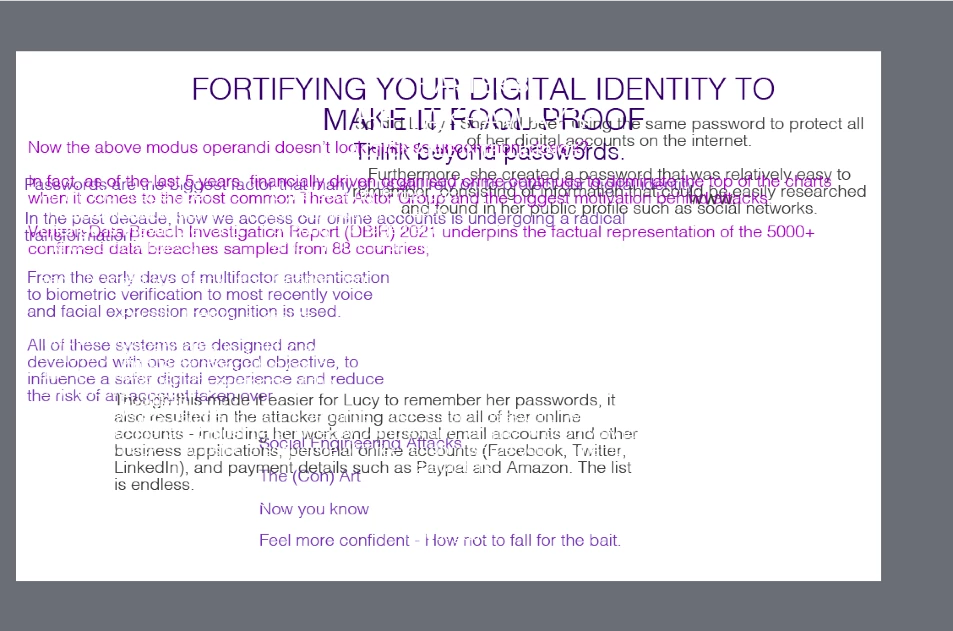
There is nothing in the timeline and I cannot delete any of the content. Also if I go to the master slide I cannot see it there either! So to clarify it looks like every slide I create copies over any previous slides content and audio. It does not show in the slide as I create it only when published or previewed.
It is not showing in the timeline or in the master slide selection until I move it into the module.
I have tried copying the slides into a clean project but the same occurs. I can see nothing in the Master slides that would remove this?
Any ideas? I am using Adobe Captivate 11.0.8.710 and MacOs Monterey 12.3.1.
Head scratcher this one for me! 😭
 AdChoices