


Participant
August 18, 2021
Question

Matching boxes overlapping Feedback in Knowledge Check Issue

  • August 18, 2021
  • 3 replies
  • 102 views

Hello! I am hoping that you could help me out.  My issue is my left side a b c boxes overla the feedback boxes after the learner clicks submit.  The feedback for incorrect and correct boxes are the ones from the quiz options nothing added except for the text inside those boxes.  Here is a image of what happens after user clicks submit.  I have also checked the master and send items back and to the front as a fix but that has not worked either. 
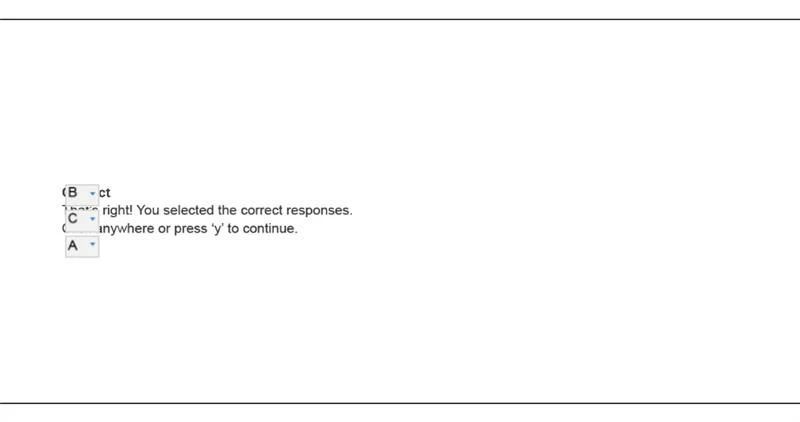
 

Here is a image of what my quiz section looks like 
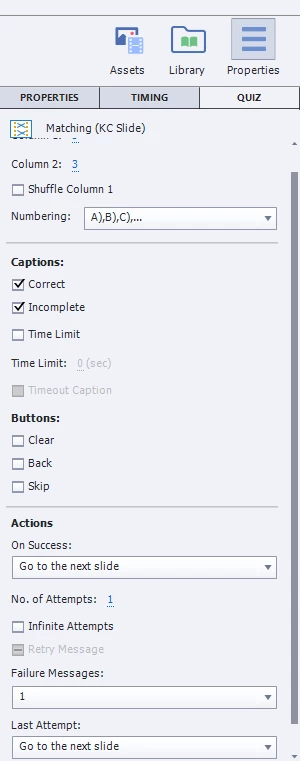
Please help! 

    This topic has been closed for replies.

    3 replies

    RodWard
    Community Expert
    Community Expert
    August 19, 2021

    Just reposition your feedback boxes so that they are not underneath the selection boxes.  There appears to be plenty of room on the slide.

    Lilybiri
    Legend
    August 18, 2021

    I don't think this is a Fluid Boxes project, because the quizzing master slides in such a project combine all the feedback messages in a static fluid box, which is clearly separated from the answer area. Anyway can you confirm this guess?


    You see the feedback messages in the quizzing master slide for the Matching question. Can you post a screenshot of that master slide?  Which theme do you use?  Was the theme updated to the present version you are using, if you use a custom theme?  


    Last question; if the screenshot shows a real quiz slide, you have been deleting a lot of embedded objects. Those are the objects without an individual timeline. Quiz slides can behave in a weird way if you do delete those objects. Some of them can be deactivate using a check box, but some not. Did you delete embedded objects on the quiz slide?


    Paul Wilson CTDP
    Community Expert
    Community Expert
    August 18, 2021

    Is this a responsive design project? If so, it can be challenging to align your variable placeholder objects for question slides. My solution would be to edit the position and layout of the matching slide on your master slide or consider using drag and drop as an alternative.

    Paul Wilson, CTDP