Participating Frequently
September 20, 2016
Answered

Matching Quiz

  • September 20, 2016
  • 3 replies
  • 661 views

I have a problem that is annoying my clients (and me) on the "Matching Quiz" slide: when published on html 5 the numbers/letters on column two appear unaligned all the way to the top and it makes it unclear which answer you are linking to... it all appears correct on the Captivate working file (I've tried alining the content of the question center, top and bottom it doesn't change the way it displays on html), it does display correctly on the regular preview, tho.

I am working on version 9.0.2 of captivate, and previewing/publishing on Chrome... but the error just seems to be cross browsers.
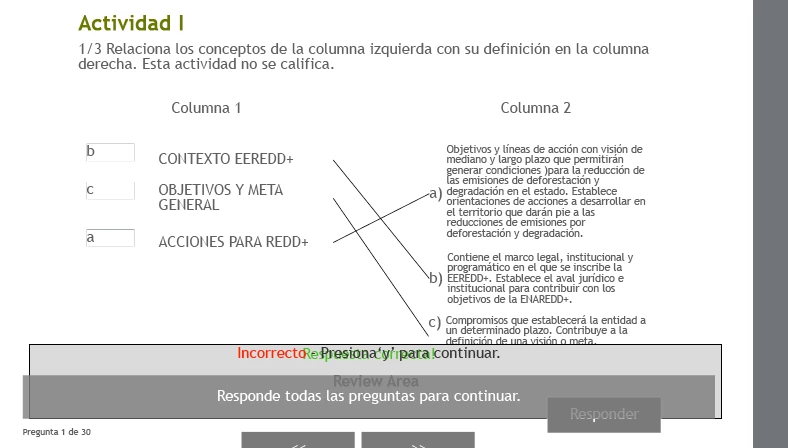
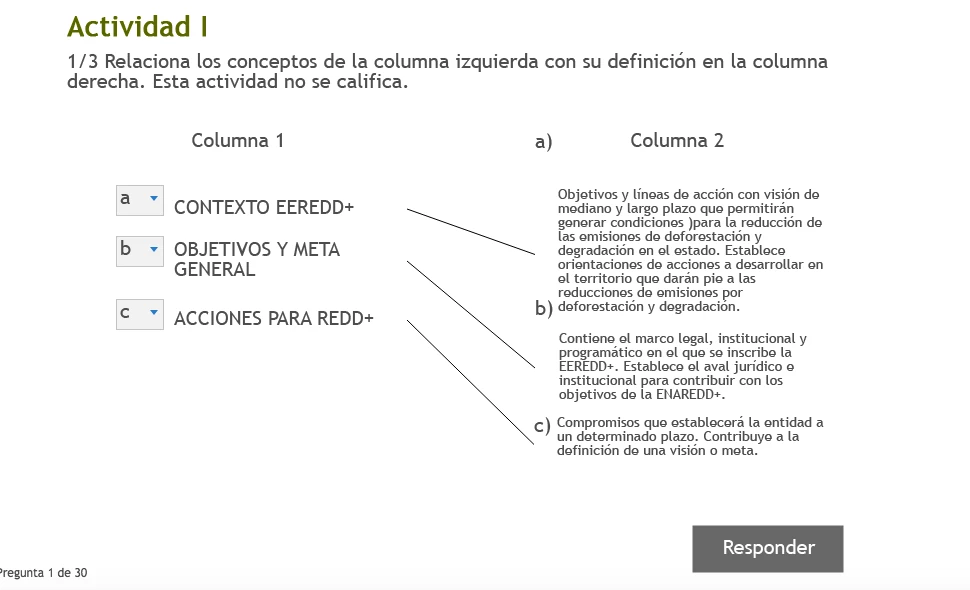
This topic has been closed for replies.
Correct answer Allen_Partridge

Thanks for sharing.  I'm notifying the team of the bug.

Allen

3 replies

Allen_Partridge
Adobe Employee
Allen_PartridgeCorrect answer
Adobe Employee
September 21, 2016

Thanks for sharing.  I'm notifying the team of the bug.

Allen

Lilybiri
Legend
September 21, 2016

Indeed, I had more issues with Matching questions in 9.0.2 as well. The GIFT import is not working for them, CP is making the wrong choice for the Master slide, applies the one for MCQ slides. Definitely log a bug report, please.

I did reset Layouts and Preferences, so it is not linked with that omission.

RodWard
Community Expert
Community Expert
September 21, 2016

This looks like it could be a bug and you should report it.

But another thing to check is whether resetting your Preferences and Layouts folders improves matters.  (Did you do this after you installed the Cp 9.0.2 update as has been recommended now many times on this forum?)