


Participant
October 28, 2010
Question

Memory Written error when starting Captivate 4

  • October 28, 2010
  • 4 replies
  • 1289 views

Hello all,

I am at a standstill and need some input as how to fix my issue. I have a user who is getting an error when trying to open Captivate 4. The program starts off like normal but when it gets past the green splash screen and starts loading the main pane, this message pop up:

     The instruction at "0x00924798" referenced memory at "0x00000354". The memory could not be "written".

     Click on OK to terminate the program
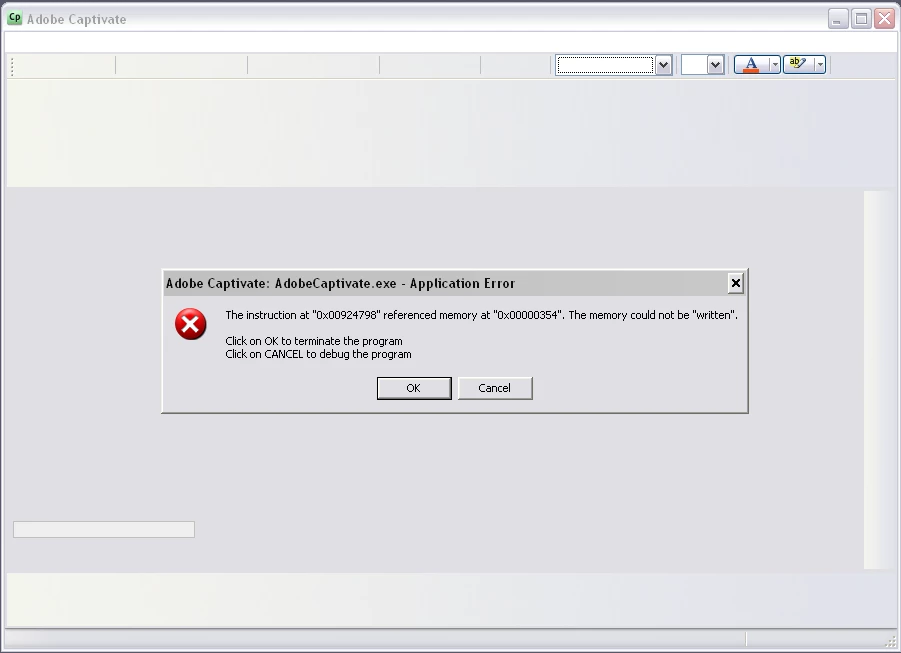
When I click on OK I get the next error screen:

     Exception EAccessViolation in module AdobeCaptivate.exe at 00524798.

     Access violation at address 00924798 in module 'AdobeCaptivate.exe'. Write of address 00000354.
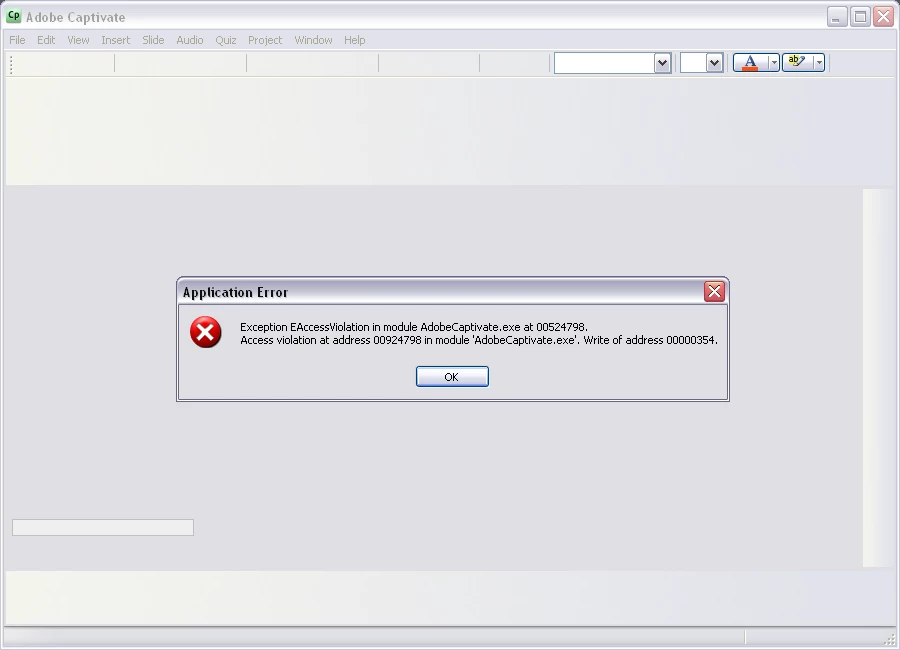
 

I have already tried applying update patch and still same error pop ups. I also tried uninstalling and reinstalling meny times, with reboots in between. Still no luck.

So any help you got would be much appreciated.

    This topic has been closed for replies.

    4 replies

    Participating Frequently
    November 16, 2010

    I resolved the problem by following the directions here:

    http://www.adobe.com/cfusion/knowledgebase/index.cfm?id=tn_14157

    Then reinstalling the Firefox and IE versions of flash and then unistalling and reinstalling captivate.

    Adobe Employee
    November 15, 2010

    It could be due to a system condition that Captivate may not be liking. Can you please check in your system if any other process is eating too many GDI Objects or File Handles? If that is so, try stopping that process and launching Captivate again. Here is how to do this -

    1. Open the Task Manager.

    2. Go to the 'Processes' tab. From the 'View' menu, select 'Select columns'.

    3. Select 'Handle Count' and 'GDI Objects' to be shown.

    4. Now sort on these two parameter and see if any process is consuming too many of these. If so, close that application and try starting Captivate.

    If this doesn't solve it, then we might have to look into system. Send me an email at asgarg@adobe.com if this is not resolved.

    Thanks,

    Ashish

    Participating Frequently
    November 12, 2010

    Same problem here... Any Resolution to this?


    October 28, 2010

    Hi there,

    Can you try after deleting the preferences?

    Rename the "Adobe Captivate" folder in the following location

    C:\Documents and Settings\<username>\Application Data\Adobe

    Now relaunch. Let me know if it works

    -Ashwin Bharghav B

    Participant
    October 28, 2010

    Do you mean to uninstall and select option to remove preferences? Then after a reboot and reinstalling, change that folder name?