
Participant
September 21, 2016
Question

Menu Sizing - How to make it larger

  • September 21, 2016
  • 3 replies
  • 1317 views

Hello,

I recently have loaded Captivate on my Surface Book (Win 10).  My current screen resolution is 2000 x 3000.

The issue I have is that when I open Captivate my menu is so small it is almost illegible.
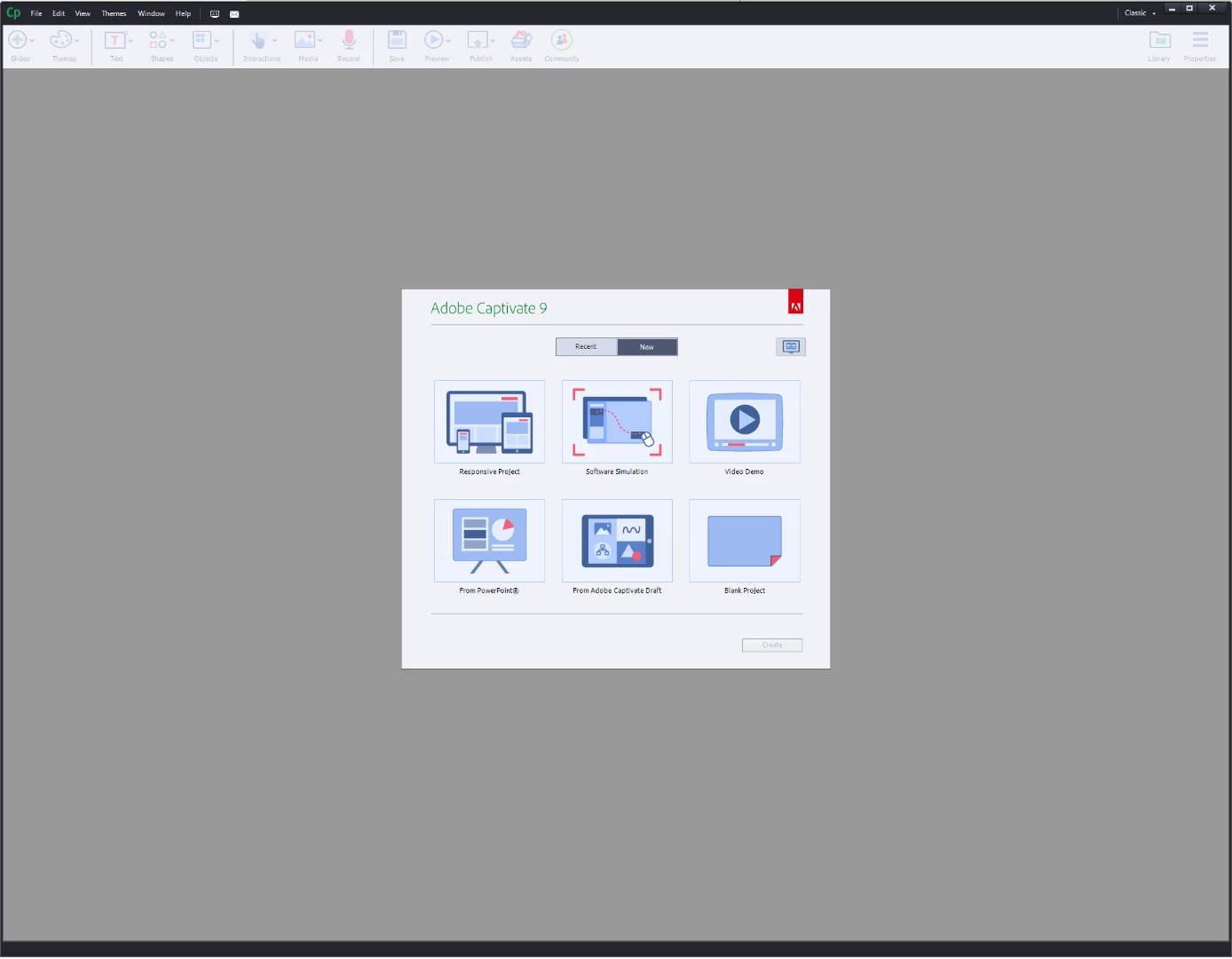
Is there a way to increase the text size so I am able to read it a bit easier?

Thanks!

    This topic has been closed for replies.

    3 replies

    Adobe Employee
    September 22, 2016

    Hi Cameron,

    Please goto C:\Program Files\Adobe\Adobe Captivate 9 x64 and you can find AdobeCaptivate.ini file. Open this file in Admin mode, and change value of "DpiAwareness" from 1 to 0, to make the app to be un aware of the DPI scaling of the Device. But capture(Software simulation) will have challenges with this setting. To get toSimulation to work further please follow this help page.

    https://helpx.adobe.com/captivate/kb/troubleshooting-capture-issues-in-high-dpi-machines.html#Unabletorecordsimulationsorvideodemosbecauseofmismatcheddisplaysettings


    Thanks
    Devraj

    Adobe Captivate Team

    Known Participant
    October 25, 2016

    How do you do this for Captivate 8?

    Lilybiri
    Legend
    October 25, 2016

    Captivate 8 is not compatible with retina screens, sorry!

    Participant
    September 21, 2016

    I am using version 9.

    Lilybiri
    Legend
    September 21, 2016

    Can you check the % for Text and items? Mine is set at 200%, maybe yours is lower.

    Resolution of the Surface Pro is not much smaller: 2736x1824. CP looks like this for me:

    Beware: for capturing you have to change the AdobeCaptivate.ini file, the DPIAwareness has to be set to 1 in that case. For normal use of Captivate it has to be set to 0.

    To change text, items, use right-click menu  on the desktop and you should see Screen resolution (or something similar, I have a Dutch version installed.

    Lilybiri
    Legend
    September 21, 2016

    Which version of CP do you use? Only 9 is compatible with retina screens,

    run it at full.resolution on Surface Pro 4. Only some cursors are very

    tiny, like for resizing the first column in the Timeline

    On Sep 21, 2016 5:51 PM, "camerons91357356" <forums_noreply@adobe.com>