
Question
Merge screenshot to background on mutliple slides in one go
Hi,
I have been using Captivate Version 9 to create training materials on which I want to edit a screenshot and paste that edit on multiple slides (+200).
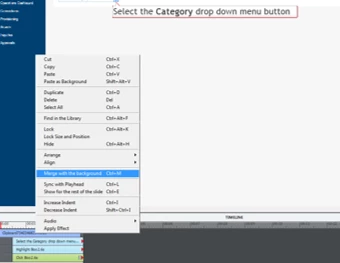
So I can use the paste function to apply the screenshot to multiple slides in one go (select multiple slides the select ctrl+v) but I am having to go into each individual slide to merge the screenshot to the background (ctrl+m) on each slide.
Is there a way to merge all clipboard updates to multiple selected slides in one go?
Thanks


 AdChoices