



Question
Missing Simulation Recording options
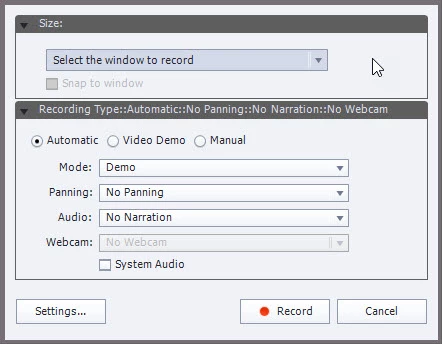
I am using Captivate 2019, but when I go to record a screen capture, the only option I have is to select an application window. I don't have the radio button options to select a Screen Area at a custom size, so I have to shove the window I want to record into the tiny red box and am unable to fullscreen at all.
Why am I missing the Screen Area recording option, and how do I get it to show up?
 AdChoices