
more than 1 button on a slide
I am working in Captivate 9. Some of my module slides have buttons that open up documents for learners to access. These docs are all pdfs. These documents are stored on our organization's adobe connect server and the URLs work great. In a few cases, I have slides with 2 buttons, each opening a different document. In preview, both work beautifully, each opening the corresponding doc in a new window and both docs are allowed to open. order of clicking buttons makes no difference. 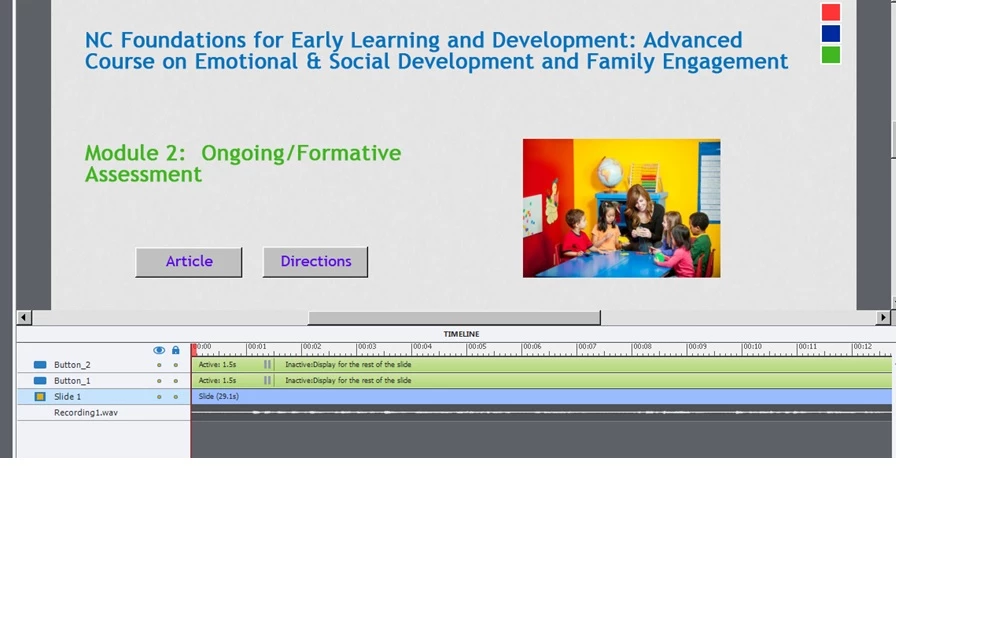 HOWEVER, after the module is published, only one of the buttons will open the corresponding doc. It depends which is clicked first - that one is functional and then when the 2nd is clicked, I get the "click" sound but no doc opens. My settings for each button are set as follows: On success, open URL; continue playing is deselected; infinite attempts. Attached is the timeline. Many thanks for any assistance!
 AdChoices