

K-Flo
Participating Frequently
February 16, 2018
Answered

Motion Path Effects for HTML5 (Cp 2017)

  • February 16, 2018
  • 3 replies
  • 416 views

I've read through several threads trying to find a workaround or answer to this, but still can't get it figured out.

I'm working on a course that will be HTML5 only, as it will only be taken on iPads. Note that I've chosen not to make it responsive because I only need one size. I'm running into issues with motion path effects when I preview in browser or publish and preview in the LMS. In this example, I have a PNG graphic that is supposed to move along a motion path to a few different points on the slide.

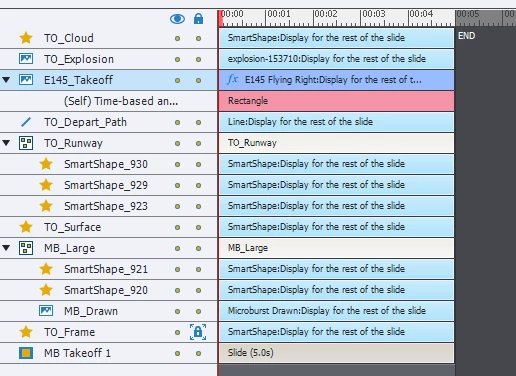
The effect starts with no problem, but then the effect freezes, as does the timeline. I don't have any pauses in any of the objects (yet). I've also included the timeline. I'm used to publishing SWFs, so HTML5 is kind of new territory for me. Wondering if anyone knows of any settings to check, or any workarounds.

Thanks in advance.
This topic is closed to new replies. Start a new post to keep the conversation going.
Correct answer Lilybiri

Have really no idea why the effect would freeze. You have to upload to a webserver or a LMS to see it the right way. Look at this published HTML movie where I used a very long motion path to simulate a game:

Game

It is not working perfecttly but I never have it frezzing. The motion path is as long as the slide, much longer than yours.

3 replies

Lilybiri
LilybiriCorrect answer
Legend
February 16, 2018

Have really no idea why the effect would freeze. You have to upload to a webserver or a LMS to see it the right way. Look at this published HTML movie where I used a very long motion path to simulate a game:

Game

It is not working perfecttly but I never have it frezzing. The motion path is as long as the slide, much longer than yours.

K-Flo
K-FloAuthor
Participating Frequently
May 9, 2018

Thanks! I was able to get this to work in our LMS.

Lilybiri
Legend
May 9, 2018

Great!
