


Moving objects using JavaScript
Hey guys. I am using Adobe Captivate 10 and I am having the following problem.
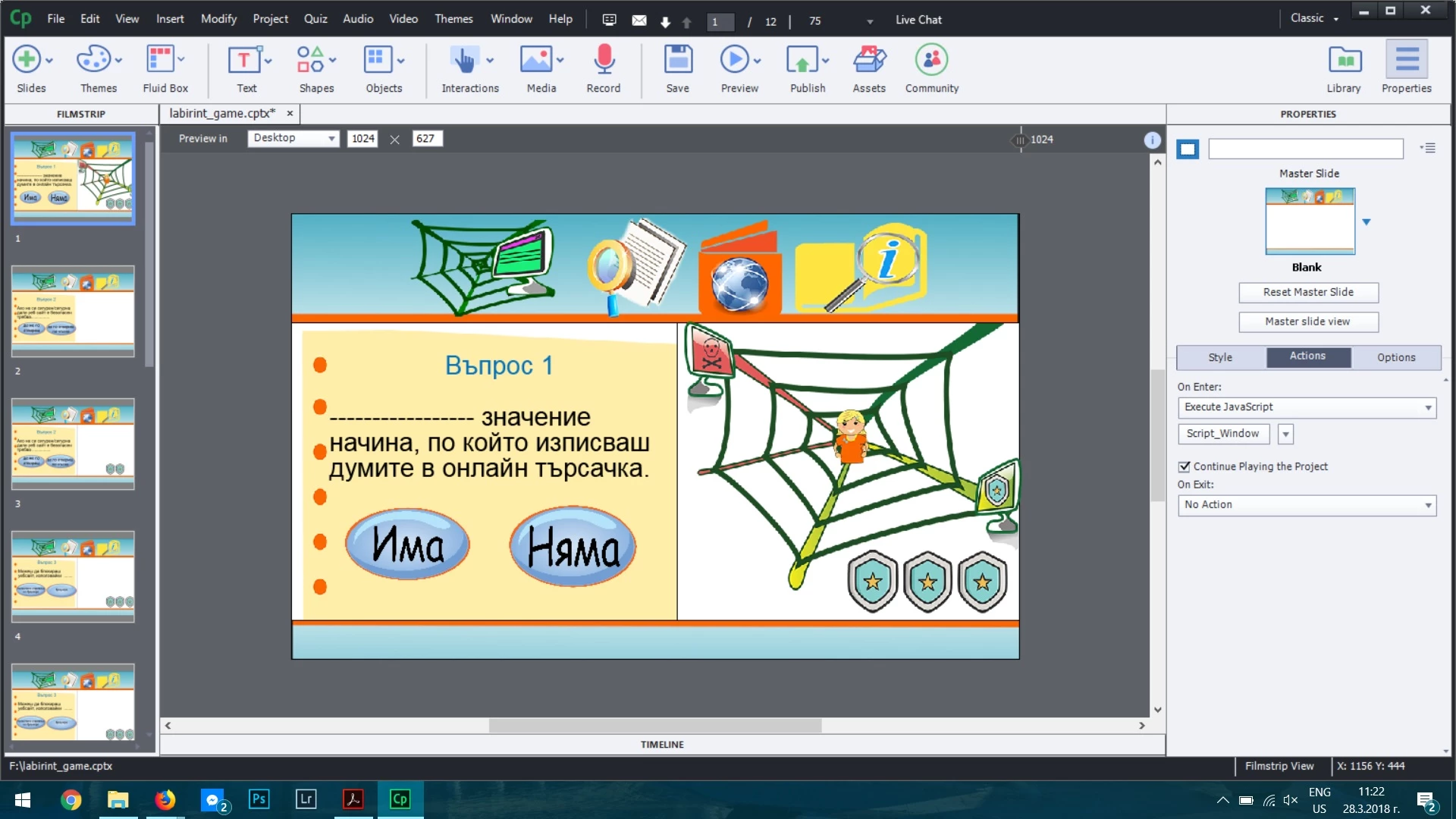
I want to create an interactive game for youngsters how to learn to use the Internet in a safe way. My idea is to create a quiz and if a person answers correct (the answers are the buttons in blue) the girl which u see in the picture moves in the green part and if the answer is wrong - to the red one and one of the shields disappears. The girl, net and shields are elements which duration is till the end of the project. When I am on slide 1 and and I give my answer the girl is moving in the right way, But when I continue on the second slide the pictures goes on position 0 - so the movement which was made the previous slide stays only in the first slide and has no effect for the second one. Which is my problem cause I want it to be on the position where it was moved after giving the answer on the first slide. I had the idea to put a code on the slide (like to launch it on enter of slide) which needs to check if the previous slide the person gave a correct or wrong answers. I put on slide 1 for the buttons - reporting and contain a quiz and gave points. In the code i am trying to use the default variable for quiz result in order to find out what kind of answer the person gave. For all these movements I am using this codes:
- moving the picture of the girl -
var obj = document.getElementById( "Image_246c");
obj.style.left = 40 + 'px';
- what kind of answer was given:
document.getElementById("Image_203c").style.visibility="hidden";
//var posX;
//var posY;
var obj = document.getElementById( "Image_249c");
if (cpQuizInfoPointsPerQuestionSlide==1) {
obj.style.left = -29 + 'px';
//obj.style.top=-33 + 'px'
}
//else {
// obj.style.left = 40 + 'px';
//}
But it doesn't work. Can u give me advices why it is not working, which variable should be used and if u have any suggestions how I can implement what i want to.
 AdChoices