Known Participant
June 15, 2018
Question

Multi object states not working?

  • June 15, 2018
  • 2 replies
  • 1657 views

Unsure if this has been asked as I couldn't find the relevant issue in the forum...

Situation:

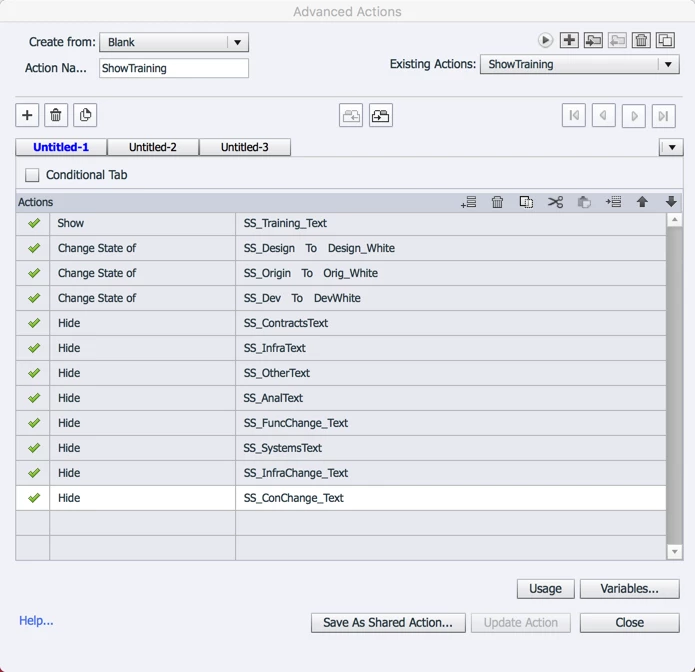
One a single slide, there are four panels with several smart shape buttons scattered all over. I have created simple advance actions for each button (simple advance is all my brain can handle at the moment) so that (1) the panels where the activated button lie turn white, (2) corresponding smartshape text box pops up and (3) other SS text boxes are hidden.

Problem:

The first button I click (it doesn't matter which/where), everything works. The next button clicked, states do not work but popups do.

So if I click on training/handover, the text pops up, develop/design/originate turn white. Well and good. I click contracts, popup shows but panels all remain white. I have a feeling I am missing an extra action?

I've attached the visuals.
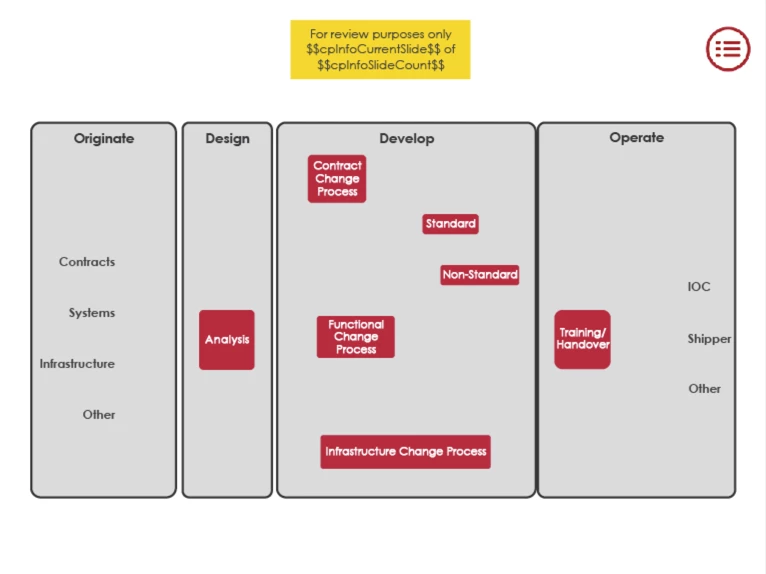
I just started using states today so apologies.

Help?

This topic has been closed for replies.

2 replies

Stagprime2687219
Legend
June 16, 2018

I think each button will need four change state actions rather than three.

Three to change to white for the other groups and one to change the group where the button resides to normal.

Lilybiri
Legend
June 15, 2018

Hello, not sure to be able to help with everything, missing some information and the screenshots are tiny  may I first offer some tips? WHich event is triggering which action, please?

To show an advanced action of any kind, please use the Preview button which is the first button in the top right control panel. That will show the complete action instead of having to create several screenshots. More info about the AA dialog box in CP2017 which you are using:

Advanced Actions Dialog box in Captivate 2017 - Captivate blog

Second tip: if yo have to hide a whole bunch of objects, and show only one of them, instead of multiple Hide commands, group those objects and use the sequence:

    Hide Gropu

    Show Item

That will not only simplify your actions, but may also allow to create a shared action from that advanced action which is a big time saver. Not sure if that is the case here.

Contrary to Hide/Show the grouping tip is not working for the Change State command (which is one of my feature requests, which would also be a big time saver, but have little hope). You have to reset states for  From your descriptino I suspect you'll have to reset the multstate object to the Normal state, which I don't see at all. A quick way to reset a bunch of multistate objects to a Normal state is to Replay the slide with re-entering it, while the Retain State on Slide Revisit is unchecked. Names for states can be reused for multiple items, what is ormally not the case for names, but makes creating actions easier.

SVJ1Author
Known Participant
June 16, 2018

Hi Lieve,

Apologies if the images were too small - I thought they were too big!

Appreciate your prompt response and your invaluable tips. The only part that may address the specific issue is your statement of needing to re-set the multi state back to normal. However, where would I insert that?

Obviously my script is incorrect (not my strength) because the first SS button I click, the correct panel is highlighted (by the change of state of the incorrect panels), the appropriate popup text shows. However, the subsequent SS buttons do not highlight the panels (or more correctly, change the state of the panels) but it does show the appropriate popup.

Thank you for your help...

Lilybiri
Legend
June 16, 2018

Wanted to help, that is why I asked several questions.  Looks like you don't want more help but will try to figure it out on your own. That is indeed the best way to upgrade your skills.