


Multiple choice quiz slides break once published/previewed in HTML5
Hello! 
Really hoping someone can help me puzzle out this mystery!
I have been trying to search for an answer to this issue for days, but I cannot find it anywhere. 
[I have the Captivate 17 version.]
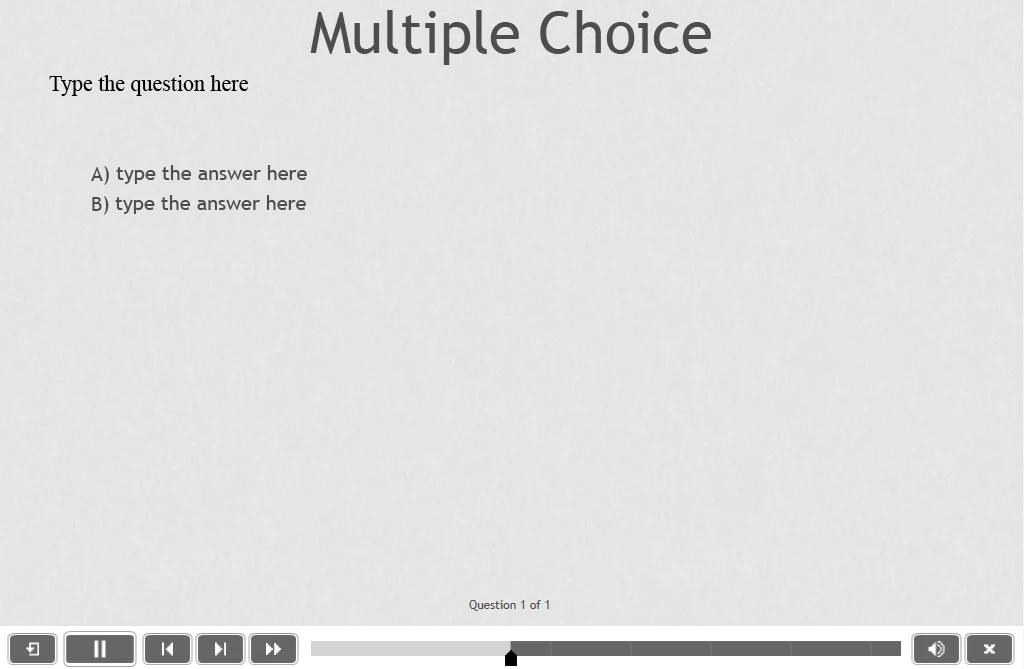
I've built a custom quiz at the end of my course, using a question pool. However, when I was previewing in 'HTML5 in Browser' the multiple choice quiz slides were not working; they would look like this...

(cannot advance to the next question, cannot select an answer, cannot view all options, radio buttons are missing, 'submit' button is missing etc.)
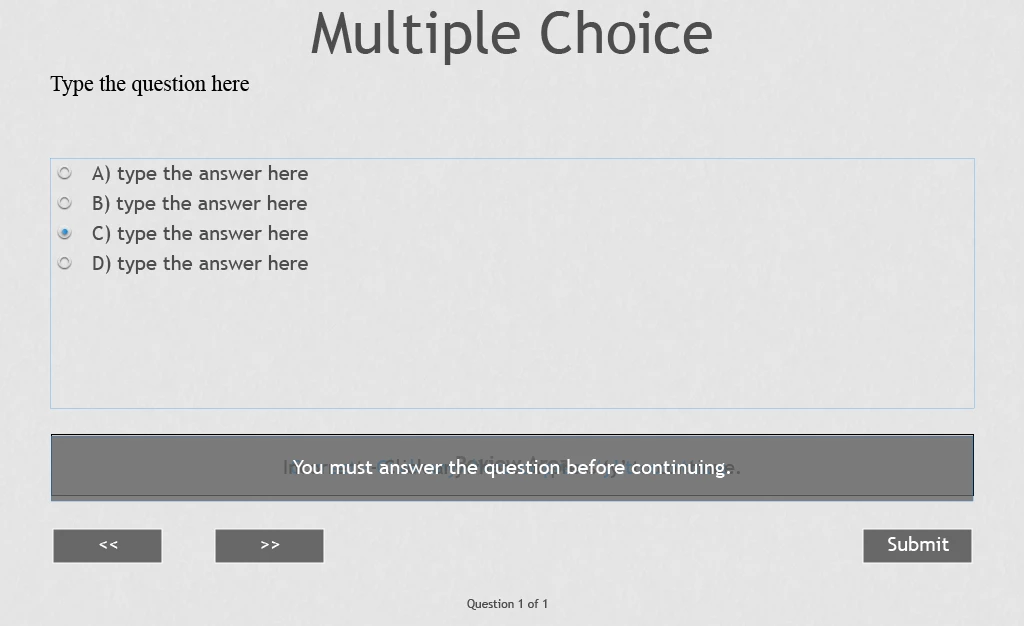
instead of this...

Yet, all other quiz slide types work perfectly, like this one:

Tried rebuilding the quiz from scratch, same issue. Tried removing all formatting, same issue.
I thought maybe it was a bug with the 'HTML5 in Browser' previewer (as it works when I just 'Preview Project' within Captivate), so I then published the project onto our LMS. EXACTLY the same issue occurred and only with the multiple choice quiz slides.
I have also checked whether it is something to do with how I built the slides(?). I created a brand new blank project and added a multiple choice quiz slide (without changing anything except the number of answers from 2 to 4).
I then tried to preview in HTML5 and, lo and behold, it doesn't work:
Should look like this:
Seems to happen with True/False now as well... 

What on earth is going on?? 
Has anyone had this happen to them? Maybe it's the browser (used Chrome for LMS but IE for HTML5 in Browser).
I'm losing my mind trying to work it out!
Any help or suggestions would be MUCH appreciated!
Best regards,
Jenna

 AdChoices