


Known Participant
March 28, 2024
Question

Multiple Event Videos in Quiz

  • March 28, 2024
  • 1 reply
  • 391 views

Hi All! I've run into an issue I hope the creative minds here can help with.  Using Adobe Captivate Classic 11.5.5.552.


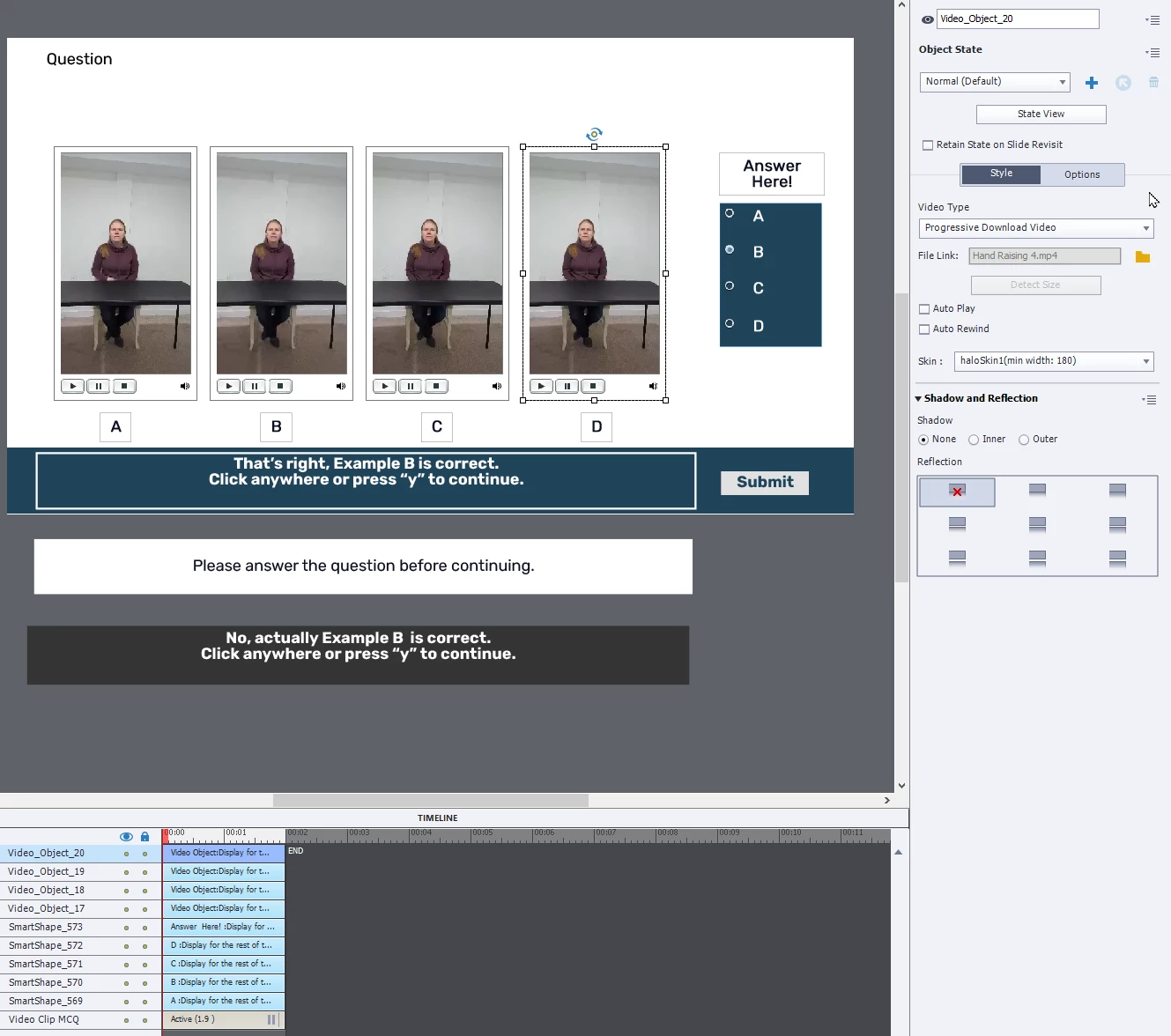
I have a multiple choice quiz question with four 15-second event videos on the screen. The learner should watch them, and then choose an answer based on the videos. (See screenshot; it's hard to explain!)


When published, one or more of the videos might show up as a black rectangle or flash. Either way, they are unusable. The problem is somewhat intermittent. Sometimes they all work fine.; other times not.  I've made the files as small as possible, to the point of losing quality.


I thought I might solve the problem by putting the videos on Youtube, but it looks like that's only an option for slide videos, not even videos


So, my first question is whether anyone knows what the issue might be and how to fix, or if anyone has other creative suggestions to make this basic idea work?


THANKS!
    This topic has been closed for replies.

    1 reply

    Known Participant
    March 28, 2024

    Oh... I wonder if it could just be the 2 second timeline with pause not being long enough for all the videos to load, perhaps? Does that seem likely?


    Edit: Nope, tried setting slides to 10 seconds long with pause at end. No improvement.

    Lilybiri
    Legend
    March 29, 2024

    Event videos play totally independent of Captivate's Timeline, hence the individual control panel for each video.

    Logically the duration of the slide would not have any impact, but you could try to get back at least to the default duration of 3seconds. How did you test? In Preview or after publishing? Which browsers?

    You are correct, streaming is only possible for slide video. You are not using version 12 (this would not be possible in that version) and created a custom quiz slide, correct? Or is this slide based on the default MCQ quiz master slide and suffered a lot of (not always permitted) editing?

    Known Participant
    March 30, 2024

    Thanks, Lilybiri!


    I've tested in preview in HTML many times with no problem there. The problem is only after publishing. I've published to two different LMS. Both had the problem. I can try testing in SCORM Cloud, too. I don't remember if I did that or not.


    I'm using Edge. A colleague used Chrome with the same result.


    I used the default MCQ quiz slide and edited it. So perhaps my edits are simply not permitted!?

    Maybe I'll just put the videos on the slide before the MCQ where they input the answer and see if that fixes it.