
Participant
November 25, 2019
Answered

My buttons have become inactive, what do I do?

  • November 25, 2019
  • 1 reply
  • 428 views

Dear community.

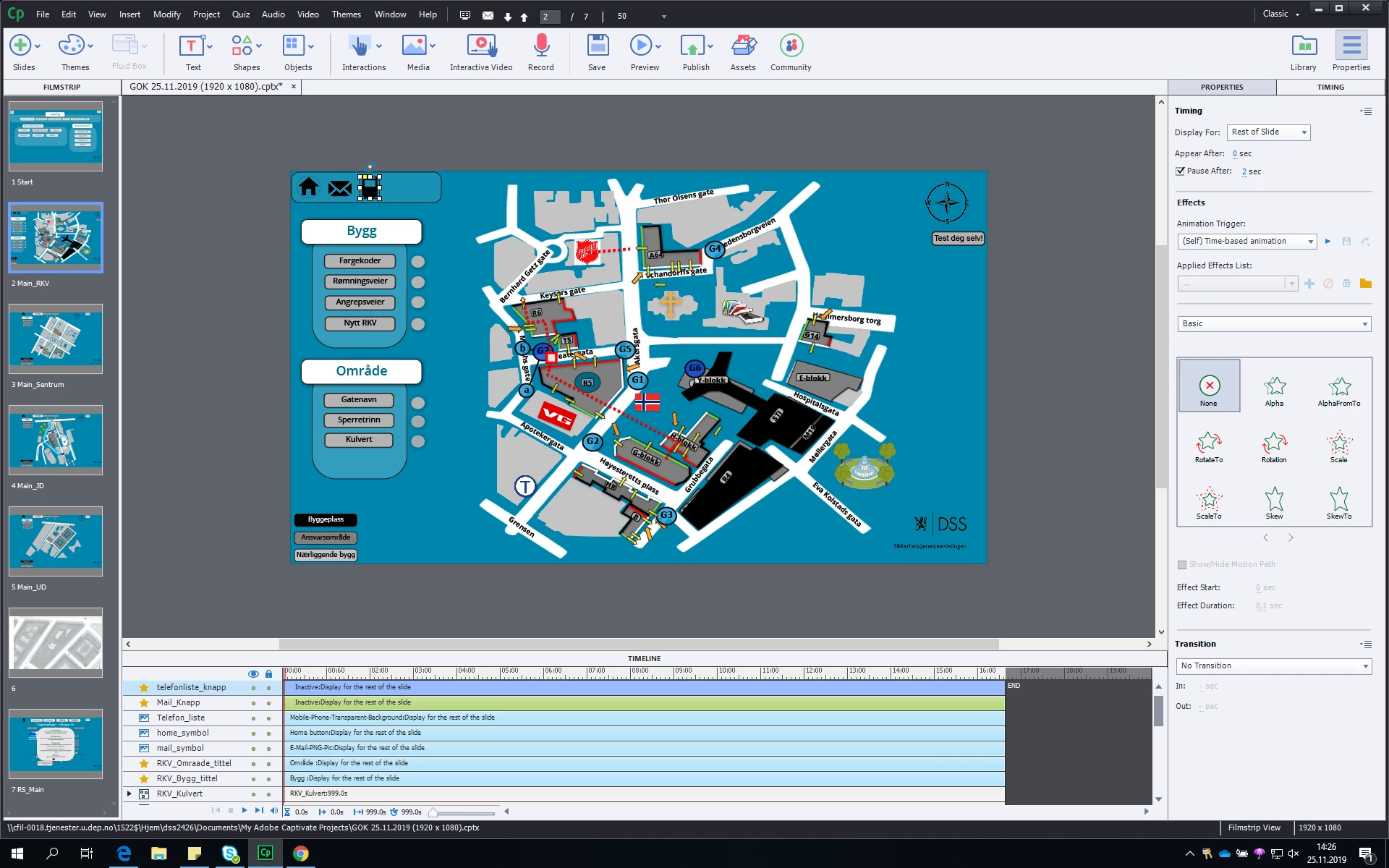
I've started tweaking my E-learning, and somehow my buttons have become "inactive" (see timeline).
They no longer show their roll-over state when hovered over in preview mode, but I'm pretty sure that this inactive thing is the cause of this...But I don't know how to fix it.
This has happened to all of my buttons, and I have made a huge effort with a lot of roll-over effects, so I hope we can fix this.


Things I've tried:

-Clearing "Cleanpreferences" in the adobe folder.
-Clearing cache


Regards
Robin
 

This topic has been closed for replies.
Correct answer Lilybiri

Please, try in the future to post images only of the problem area... zoom is not working in the forum. Even when I opened the screenshot in a new tab, everything is too fuzzy.


From what I see on the Timeline, which has color coding, there is only ONE interactive object (green timeline). From what I can see it has no pausing point... but image is too small.


Which type of buttons did you use, please? It looks like you do not use the most recent version of Captivate. That means that you have only 4 types: Text button, Transparent button, Image button and Shape button.


Select one of the objects that you think are buttons, and show me ONLY  the Properties panel, Actions tab

1 reply

Lilybiri
LilybiriCorrect answer
Legend
November 25, 2019

Please, try in the future to post images only of the problem area... zoom is not working in the forum. Even when I opened the screenshot in a new tab, everything is too fuzzy.


From what I see on the Timeline, which has color coding, there is only ONE interactive object (green timeline). From what I can see it has no pausing point... but image is too small.


Which type of buttons did you use, please? It looks like you do not use the most recent version of Captivate. That means that you have only 4 types: Text button, Transparent button, Image button and Shape button.


Select one of the objects that you think are buttons, and show me ONLY  the Properties panel, Actions tab

Participant
November 25, 2019

Hi!

Sorry I wasn't aware of that, However, it resolved itself eventually.

The project was totally corrupted. Not only did the rollover functions stop to work, even the advanced actions refused to get saved.

I will post with zoom in the future.

Regards
Robin

Lilybiri
Legend
November 25, 2019

OK, glad it was solved. I have blogged quite a lot about the Timeline, which is a core feature of Captivate but often neglected in training. Have a look at one of those posts, which explains the color coding. Beware: in version 11.5, the code is broken for both bitmap images and SVGs used as buttons.  That is a shame...

http://blog.lilybiri.com/captivate-timelines-color-coding-and-shortcut-keys