
Participant
May 29, 2020
Answered

My work area is missing

  • May 29, 2020
  • 1 reply
  • 480 views

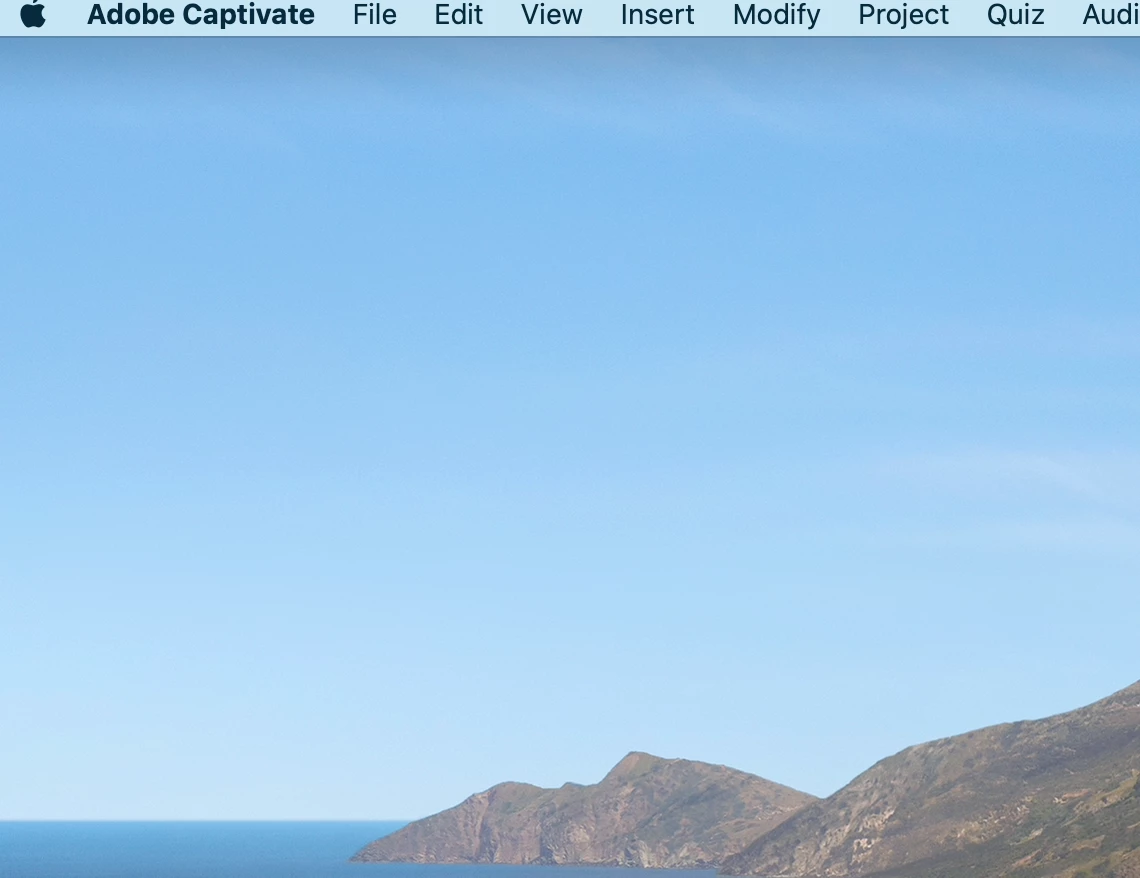
When I open captivate all I see is the top nav bar. The work area is missing or invisible. When I click on "master slide" it even shows the "master slide view" text but not the underlying work area. On a mac if that helps
 

    This topic has been closed for replies.
    Correct answer Lilybiri

    I can see that you are on Mac, but since there are vera rarely Mac users around to help their peers, do pop in. May I suggest to clear the Preferences? Find the subfolder 'utils' under the installation folder and fun 'CleanPreferencesMac' while Captivate is closed. I hope ou find that folder because finding a file seems to be a big adventure for Mac users while it is very easy for Win users like me.

    1 reply

    Lilybiri
    LilybiriCorrect answer
    Legend
    May 29, 2020

    I can see that you are on Mac, but since there are vera rarely Mac users around to help their peers, do pop in. May I suggest to clear the Preferences? Find the subfolder 'utils' under the installation folder and fun 'CleanPreferencesMac' while Captivate is closed. I hope ou find that folder because finding a file seems to be a big adventure for Mac users while it is very easy for Win users like me.

    Participant
    May 29, 2020

    that did the trick! it was exactly where you said it would be: Applications > Captivate > utils for any other mac users who have this problem


    thanks again you are a life saver

    Lilybiri
    Legend
    May 29, 2020

    You're welcome! Refreshig to hear a Mac user appreciating help, mostly I hear only complaints. Nothing to do with you at all.

    If you had customisation, some may be lost after this workflow. The Preferences folder is under your profile, and by cleening it a new 'virgin' copy is installed from the original.  Cannot point to a blog which has more information about this, because I am a poor Windows user. Kidding 🙂