
daniel_sposato
Known Participant
January 26, 2016
Question

Mystery button/image appearing on regular slides....

  • January 26, 2016
  • 1 reply
  • 248 views

Not sure if anyone has experienced this but.... a mystery button or image is appearing on 2 of the slides in the course I'm working on. On the first of the 2 it comes in immediately and then disappears after about 3-4 seconds, even though the slide is much longer.
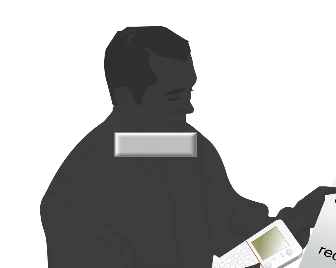
On the following slide the second comes in after 7 seconds or so and stays on the screen for 2-3 seconds then disappears. And it's roughly in the same x and y position as the previous one.
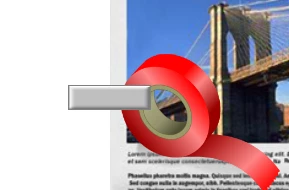
I have not used this image/button (it's not clickable) anywhere else in this project. It's not on the timeline, I see nothing out of the ordinary in the properties tab so I'm clueless as to what is causing this. Though it looks like a default button of some sort. Any ideas on how to get rid of this?

Thanks in advanced,

Dan

This topic has been closed for replies.

1 reply

Lilybiri
Legend
January 26, 2016

Did you check the master slide that is used for those slides, although it looks like a normal not a shape button? It also can be a button that is on another slide and timed for the rest of the project.

daniel_sposato
Known Participant
January 27, 2016

Thanks for the suggestion, but I looked and found nothing in the master. I was able to resolve this, tedious as it was, by copying the slide and pasting a second version. The new pasted slide mysteriously included the object on the slide. So I could then delete it. But then I needed to fix the triggers because Captivate defaulted all the names and, as I'm sure you know, duplicated slides always break in functionality. So I had to rename and fix all the actions. Not fun.