
kurtj55092564
Participating Frequently
April 11, 2017
Question

navigation hangs on retake before quiz/KC slides, but only while bookmarking

  • April 11, 2017
  • 2 replies
  • 193 views

*for reference, I'm testing in scorm.cloud

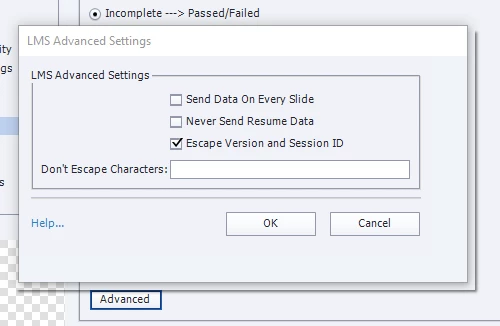
As noted in the title, If I use bookmarking, the course navigation works perfectly for the first run through. However, if I fail out and try to "retake" the course, I'm unable to navigate past slides which precede KnowledgeCheck or Quiz slides. If I select "Never Send Resume Data," everything works fine (even on retake)... unfortunately, I need to support bookmarking.

(e.g. I would be stuck on slide 19 during a post failure "retake")
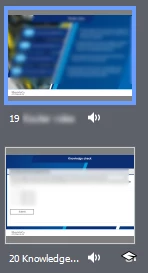
here's my simple, custom navigation

nothing fancy in slide 19
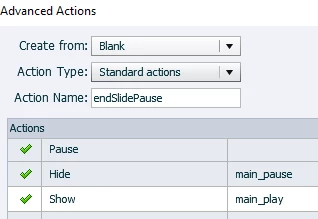
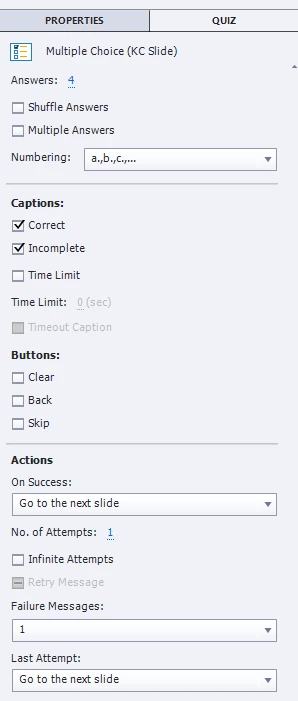
nothing fancy in the quiz slide
Preferences:
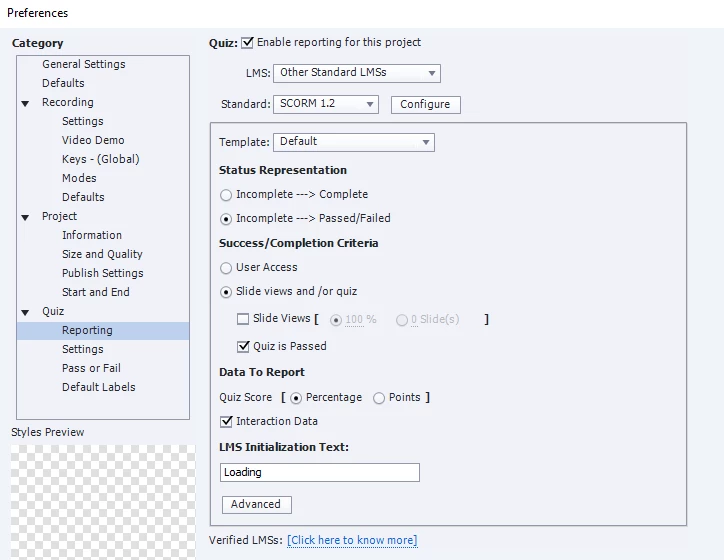
Setting this to "Never Send Resume Data" fixes the navigation problem, but does away with all bookmarking (which I need)
Any ideas?

Thanks in advance ,

    This topic has been closed for replies.

    2 replies

    kurtj55092564
    Participating Frequently
    April 12, 2017

    I believe I found the problem. It had to do with questions limited to 1 attempt, not being reset on a fail/retry

    Lilybiri
    Legend
    April 12, 2017

    Sorry to doubt that this can be the reason: all KC slides are reset when you leave the slide, and that is not depending on the number of attempts at all. I wrote extensively about that in the blog post referred to above, after hours of exploration.

    Lilybiri
    Legend
    April 11, 2017

    Which event is triggering that standard advanced action? Looks weird to me....

    kurtj55092564
    Participating Frequently
    April 11, 2017

    I'm using that action to toggle my custom play/pause button when the timeline ends

    Lilybiri
    Legend
    April 11, 2017

    You want a toggle Play/pause button? In that case you need a conditional action. Now you are usingan absolute Pause, but never release the playhead.  Moreover the sequence is important as well, Pause has to be the last command.I would use states, not show/hide but that is a choice:

    IF cpCmndPause is equal to 0

        Hide ...

        Show ....

        Pause

    ELSE

        Hide ...

        Show....

        Continue

    I have an older blog post about a Pause/play button, should upgrade it. I also blogged a lot about pausing the timeline. Have a look at this one, it has also a pause/play action embedded:

    Interactive Video Buttons - Captivate blog

    Normally a KC slide is meant to have an answer. The differences with Quiz slides explained here:

    Knowledge Check Slides - tips - Captivate blog

    Try to fix that toggle button, there is no reason whatsoever that KC-slides would cause the issue you describe. If the correct conditional action is not fixing the problem, we'll have to look elsewhere: do you have a real quiz as well? What are the Preferences there, what did you choose for 'Required option'?